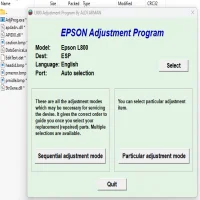
Here is our epson adjustment program collection,
If you’ve landed here, chances are your Epson printer suddenly decided it has printed “too much” and now refuses to cooperate.
Welcome to the famous Epson waste ink pad counter limit.
Inside most Epson printers there’s a safety counter that tracks how much ink is flushed during cleaning cycles. When the counter reaches its preset limit, the printer locks itself and shows messages like:
- “Service required”
- “Ink pad is at the end of its service life”
- “Parts inside your printer are at the end of their service life”
The printer may still be perfectly fine, but the counter says no more printing.
That’s where Epson Adjustment Programs (also called Epson resetters) come in.
These small utilities reset the internal waste ink counter and bring the printer back to life.
Table of Contents
We’re on a mission to compile Epson Adjustment Programs for as many Epson printer models as possible.
Epson has released hundreds of printer models over the years, and tracking down the correct adjustment program can feel like searching for a needle in a digital haystack.
So this page serves as a growing library of Epson reset tools.
Whenever we obtain a working adjustment program for a specific printer model, we add it here with a download guide.
Think of this page as a central directory for Epson reset utilities.
Available Epson Adjustment Programs
Below are the Epson printer resetters currently available in our collection.
Epson Resetters
Adj program to reset Epson L1210, L3210, L3250, L3251, L3260 and L5290
Adj program to reset epson L3110 Printer resetter- AdjProg
Epson L120 / L121 Resetter – Adjustment Program to Reset Ink Pad Counter
Epson L800 Resetter – Waste Ink Pad Counter Reset Adjustment Program
Epson L805 Resetter – Adjustment Program to Reset Waste Ink Pad Counter
Epson Printer Resetter – L120, L220, L310, L311, L361, L363, L561, L563, L810, L811 Adj Program
Each guide includes:
✔ The download link for the adjustment program
✔ Step-by-step instructions on resetting the printer
✔ Common errors and fixes
How Epson Adjustment Programs Work
An Epson adjustment program communicates directly with the printer’s internal service mode and allows technicians to perform maintenance tasks such as:
- Resetting the waste ink pad counter
- Performing EEPROM initialization
- Running printer maintenance checks
- Adjusting internal printer settings
For most home and office users, the main purpose is simply resetting the waste ink counter so the printer can resume printing.
Important Note
Resetting the counter does not physically replace the ink pads inside the printer.
The reset simply clears the internal counter so the printer can continue operating. If the printer has been used heavily for years, the waste pads may eventually need cleaning or replacement.
However, for many printers this reset can extend the usable life of the machine for a very long time.
Need a Resetter for a Different Epson Printer?
We’re continuously expanding our resetter library.
If your Epson printer model isn’t listed yet, let us know and whatsapp us and we’ll try to add it to the collection.
Our goal is simple:
Create one place where anyone can find the correct Epson adjustment program without endless searching.
Mwash Cyber is an online serving cyber café based in Nairobi
- Mwash Cyber

- Mwash Cyber

- Mwash Cyber

- Mwash Cyber