Copied!
Kra invoice checker

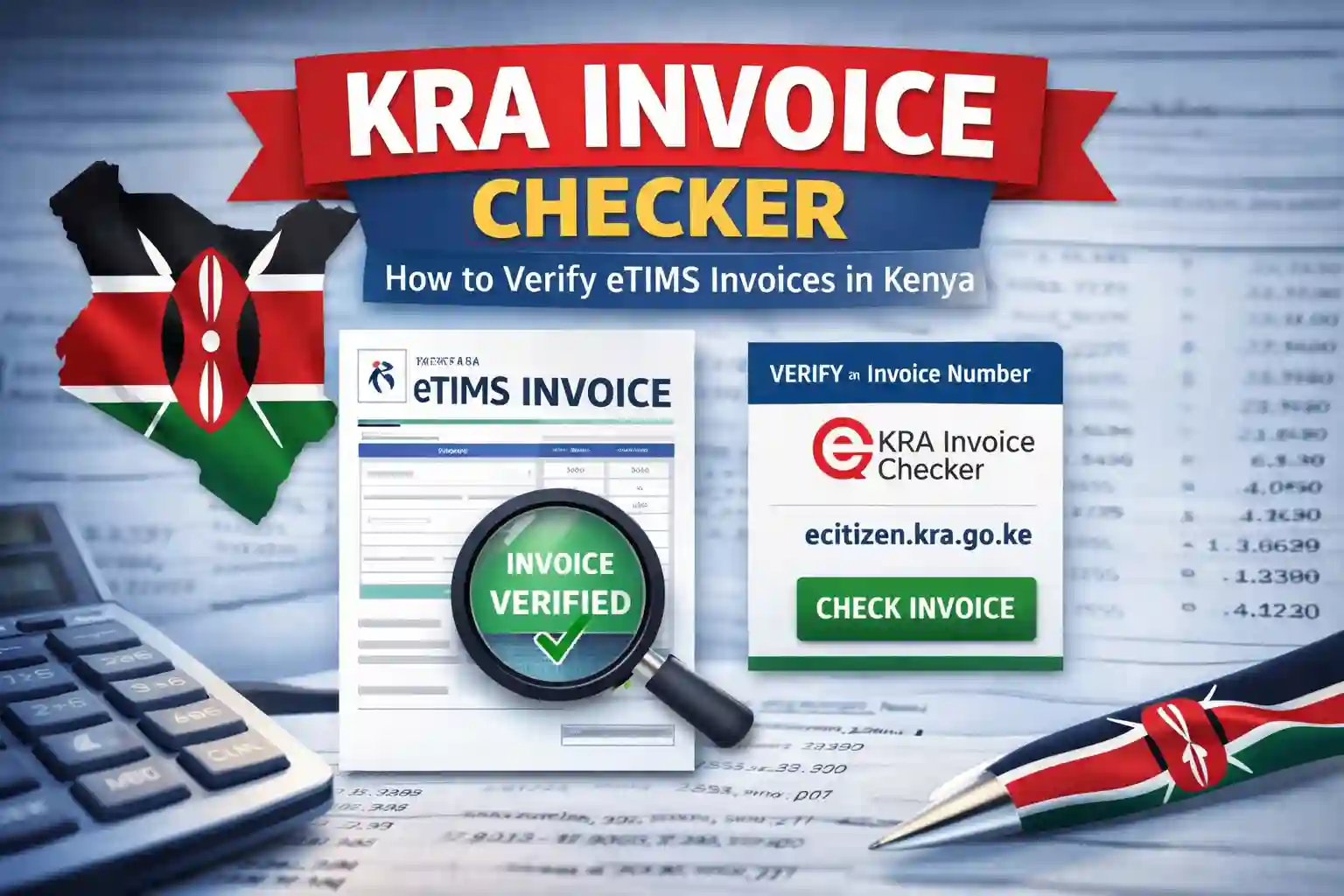
KRA Invoice Checker – How to Verify eTIMS Invoices in Kenya

This post will guide you through etims invoice verification using the KRA Invoice Checker

An etims invoice can look perfectly legitimate… neat logo, proper formatting, nice numbers.
But here’s the uncomfortable truth: a good-looking invoice is not proof it’s valid.

With the introduction of eTIMS (Electronic Tax Invoice Management System) by the Kenya Revenue Authority, every compliant invoice issued in Kenya should be registered in the tax system. That means you can verify whether an invoice actually exists in the KRA database.

Thankfully, checking an invoice takes less than a minute.

Kra invoice checker

What Is the KRA Invoice Checker?

The KRA Invoice Checker is an online verification tool provided by the Kenya Revenue Authority that allows anyone to confirm whether a KRA eTIMS invoice number is genuine.

It helps businesses, customers, and accountants confirm that:

  • The invoice was issued through the eTIMS system
  • The invoice number exists in the KRA database
  • The invoice matches the registered taxpayer
  • This protects both buyers and sellers from fake invoices, tax fraud, and compliance issues.

How to Verify a KRA eTIMS Invoice

You can verify an invoice using the official KRA checker here: KRA etims invoice Checker

Steps to Check an Invoice

  1. Open the KRA Invoice Checker.
  2. Enter the Invoice Number you want to verify.
  3. Click Check.
  4. The system will display the details linked to that invoice if it exists.

If the invoice is valid, you will see the taxpayer information associated with it.
If not, the system may indicate that the invoice number cannot be found.

Why You Should Verify eTIMS Invoices

Since the rollout of eTIMS, verifying invoices has become an important step in business transactions.

You should check an invoice when:

  • Receiving invoices from suppliers
  • Claiming business expenses
  • Filing tax returns
  • Auditing company records
  • Confirming tax compliance

If an invoice cannot be verified, it may mean:

  • The invoice was not generated through eTIMS
  • The invoice number was entered incorrectly
  • The invoice may be fraudulent

And in the tax world, a fake invoice can cause serious compliance problems.

Final Thoughts

A few seconds of verification can save you a mountain of tax trouble.

Whenever you receive an invoice and want to confirm it’s legitimate, simply use the official KRA Invoice Checker

The tool is free, quick, and provided directly by the Kenya Revenue Authority to help ensure transparency and compliance in Kenya’s tax system.

Read more posts

An image written 15 easy cyber cafe side hustles you should try

15 Cyber Cafe Side Hustles You Should Try

Mwash cyber 15 cyber cafe side hustles you should try

Operating a cyber café today demands more than specialization; it requires a side hustle for diversification. With mini to super markets and small shops now providing basic cyber services alongside their main offerings, café owners must think beyond the conventional to remain profitable. The key question many café operators are facing is:

What else can I add to my existing cyber café business?”.

At Mwash Cyber, we’ve worked with cyber cafe owners long enough to see what works and what doesn’t. The trick is to add businesses that bring in daily demand and use the same customer traffic you already have. Here are some ideas to expand your cyber cafe into a multi-business hub.

15 Cyber Cafe Side Hustles

An image written 15 easy cyber cafe side hustles you should try

Cyber Café Side Jobs

Tap any hustle below to see how you can expand your cyber business income.

S
Mini Stationery & Bookshop
Turn your cyber into a one-stop shop.
P
Printing Shop for Branded Items
Offer custom T-shirts, mugs, and more.
C
Parcel & Courier Point
Partner with courier companies for pickups & drop-offs.
A
Smartphone Accessories & Repair Desk
Stock essentials like chargers and flash disks.
M
M-PESA + Airtime + Bill Payments
Constant traffic and steady income stream.
🍵
Mini Cafe
Serve tea, snacks, and attract walk-ins.
📱
Second-Hand Phone & Laptop Sales
Start small with trusted refurbished gadgets.
🖨️
Bulk Printing Contracts
Offer deals to schools, NGOs, and offices.
🎨
Poster & Design Services
Design and print posters, flyers, and menus.
🎬
Movie & Series Download Station
Offline downloads for phones and flash disks.
♻️
E-Waste Collection Point
Partner with recyclers and support green initiatives.
🎁
Mini Gift Shop & Greeting Cards
Sell cards and small gifts alongside your services.
💼
Business Support Desk
Help with registrations, tenders, and proposals.
🎓
Student Subscription Packages
Offer discounted unlimited printing plans.
🛍️
Local E-commerce Hub
Sell online and use your cyber as the pick-up point.

Final Thoughts

When someone asks, “What hustle can I add to my cyber cafe?” the answer is simple: add hustles that people use every day. Don’t just be a place for printing and browsing — become a multi-service hub where customers can sort out their school, office, business, and personal needs in one stop.

That’s how you stay ahead of supermarkets and other businesses: by building depth, not just copying what everyone else is doing.

At Mwash Cyber, we believe the future of cyber cafes is in diversification. Start with one or two of these ideas and grow steadily. Before long, your cafe won’t just be surviving — it will be thriving.

Read more posts
Visit our online shop

Steps to register a transport company with ntsa in kenya

How to Register a Transport Company with NTSA in Kenya

Starting a transport company in Kenya requires more than just vehicles and drivers—it begins with compliance. The National Transport and Safety Authority (NTSA) is the government body responsible for licensing transport companies, and the process has been streamlined through the eCitizen platform.

If you’re looking to register a transport company in Kenya, here’s a step-by-step guide on how to do just that:

Steps to Register a Transport Company in Kenya

Steps to register a transport company with ntsa in kenya
Step 1: Register Your Business with the Registrar of Companies
Head over to the Business Registration Service (BRS) on eCitizen and register your company. Reserve a name, provide details of directors, and obtain a Certificate of Incorporation.
Step 2: Create a Corporate Account on eCitizen
Once your company is legally recognized, create a corporate eCitizen account. This account gives access to corporate services, including NTSA business licensing.
Step 3: Upload Company Documents
Prepare and submit the following to NTSA via your corporate account:
– Certificate of Incorporation
– KRA PIN certificate for the company
– KRA PINs and ID details of directors
– Memorandum and Articles of Association (if required)
Step 4: Pay the Registration Fee
NTSA charges a registration fee depending on the transport services offered (PSV, logistics, cargo, etc.). Payment is done online via eCitizen’s integrated payment system.
Step 5: Schedule a Premises Inspection
NTSA will inspect your company premises to ensure compliance with transport safety standards. Prepare your office, records, and management systems for inspection.
Step 6: Await Approval and Licensing
After inspection and document verification, NTSA will issue your Transport Company License, legally allowing you to operate in Kenya and manage your fleet under NTSA’s framework.

Benefits of a Corporate NTSA Account

By registering under a corporate account, you gain access to advanced features that simplify transport management:

  • Adding and managing multiple vehicles
  • Assigning drivers to vehicles
  • Updating company details online
  • Accessing digital records of your licenses and compliance documents

Final Word:
Registering your transport company with NTSA is not just a legal requirement—it’s your ticket to operating a credible and compliant business. With a corporate account on eCitizen, you’ll have full control over your fleet and driver management, making it easier to grow and scale your operations.

Read More Posts

Cyber cafe business: what it is and how to start a profitable one in 2025

Cyber Cafe Business: What it is and How to Start a Profitable One

This article has everything you need to know before starting a cyber cafe business.

Imagine this: A cyber cafe with just a single laptop on a plastic table in a quiet room.

That was me. Not long ago.

I used to work on a basic PC—4GB RAM, 256GB storage—and honestly, it was a struggle. Eventually, I saved up and bought a secondhand HP laptop. It wasn’t flashy, but it worked. That laptop became my first cyber.

I started offering printing and online services from home, and for a while, I even printed customer documents at my neighbor’s cyber. I’d email the file or carry it on a flash disk, pay for printing, and bring it back to my customer. It sounds rough, but guess what? It worked.

That’s how Mwash Cyber began—built on passion, creativity, and a deep desire to help people.

Today, I’ve served people from all walks of life with services like:

  • Printing & scanning
  • Online applications (eCitizen, KRA, HELB, NSSF)
  • Job applications & CVs
  • KUCCPS and school forms
  • Typing, editing & internet browsing
  • And much more…

In this article, I will show you how you too can start your own cyber cafe—step by step.

What is a Cyber Cafe (in Simple Terms)?

Also called an internet cafe. It is a small business that helps people access computers, internet services, and essential digital tasks. In Kenya, it’s not just about browsing Facebook anymore.

Starting a cyber cafe business

People visit cybers to:

  • Fill out government forms (like in eCitizen, NTSA, HELB, KUCCPS and more)
  • Print school assignments or work documents
  • Apply for jobs
  • Access KRA services (PIN, returns)
  • Scan and send documents
  • Type and edit CVs
  • Charge phones or buy airtime

A cyber is a lifeline to people without printers, computers, or stable internet.

Before You Start: The Most Important Advice

Before we talk about equipment, let’s talk about you.

✅ Do you know how to type, use the internet, print, scan, and handle online applications?
If not—don’t start a cyber yet.

A cyber cafe is not just a business; it’s a support system. Customers will depend on your help every day. So, you need to learn the basics first. It’s okay to start small—but don’t start blind.

The Truth About Capital: Start Where You Are

Mwash cyber cyber cafe business: what it is and how to start a profitable one

Forget the idea that you need Ksh 300,000 to open a cyber.

If you have:

  • A computer or laptop
  • Internet connection
  • A printer (even borrowed or shared)
  • Some space (home, small shop corner)
  • And a willing heart

Then you can start right now.

Yes, even if you’re printing at your neighbour’s place for a while—like I did.

How to Start Cyber Cafe Business in Kenya (Step by Step)

Let’s walk through it together, based on how much you can afford. Choose what fits your reality today—not your dreams for later.

💻 Cyber Café Setup Levels – Compare & Choose

1️⃣ Small Setup

Perfect for beginners with low capital

💡 Example: 1–3 computers or laptops in a small space (home, stall, kiosk)

What You Need:

  • 💻 A laptop or desktop (even secondhand)
  • 📶 Internet (Wi-Fi or 4G router)
  • 🖨️ Printer (new or borrowed)
  • 🪑 Basic furniture (chair, table, power socket)
  • 💾 Flash disks, paper, toner/ink
  • 🧩 Installed software (Office, PDF tools, browser)
  • 📋 A visible list of services and pricing

What to Do:

  • 🖊️ Offer typing, printing, and eCitizen services
  • 🏠 Work from home or rent a small stall
  • 🤝 Partner with nearby cybers for printing
  • 📢 Promote via WhatsApp, estate boards, or posters

Pro Tip: Build friendly ties with other cybers. You’ll learn faster and find mutual help.

2️⃣ Medium Setup

Perfect for those ready to expand gradually

💡 Example: 5–10 computers in a shop or office space

What You Need:

  • 📘 A detailed business plan
  • 🖥️ More computers (buy secondhand to save)
  • 🌐 Router and switch to network PCs
  • 🖨️ Printer/scanner combo
  • 🚩 Branding sign outside your cyber
  • 📦 Stock (printing paper, laminating pouches)
  • 🔋 Power backup (UPS or small inverter)
  • 👥 Maybe an assistant for busy hours

What to Do:

  • 🧾 Offer printing, scanning, browsing, typing, CV writing
  • 💰 Accept digital payments (M-Pesa Till, Paybill)
  • 📊 Keep customer records and track services
3️⃣ Big Setup

Perfect for those with higher capital and ambition

💡 Example: 15+ computers, several service stations, staff, branding

What You Need:

  • 🧭 A strong business plan
  • 🖥️ Full desktop setup (some for design or gaming)
  • 📶 Business Wi-Fi (fiber + 4G backup)
  • 🧮 Dedicated stations: printing, scanning, gaming, photo
  • 🪑 Comfortable waiting area
  • 👨‍💼 Staff for assistance and reception
  • 🎥 CCTV, décor, and professional branding
  • 📦 Stocked printing supplies and accessories

What to Do:

  • 📱 Market widely — Facebook, TikTok, Google Maps
  • 🎓 Offer computer classes, photo printing, design services
  • 🧾 Keep detailed business and financial records

Legal Requirements for Any Internet Cafe in Kenya

No matter your size, be compliant:

  1. Register your business on eCitizen
  2. Get a business permit from your County Government
  3. Apply for a KRA PIN and file returns every year
  4. Get an MCSK license if playing music
  5. Keep licenses displayed at your premises

Simple Checklist: What Every Internet Cafe Should Have

  • At least one working computer
  • Printer or access to one
  • Stable internet connection
  • Typing and printing software
  • Paper, pens, ink, and toner
  • Extension cables and backups
  • Basic skills to help customers
  • Honest pricing and good service

Challenges You May Face (And How to Beat Them)

ProblemSolution
Power outagesBuy a UPS or small solar backup
Slow internetHave a backup 4G modem
Printer issuesLearn maintenance & save extra cartridges
Low trafficMarket locally, be helpful & friendly
Too much competitionStand out with your service quality

Final Word: Don’t Wait for Perfect – Start Now

Your cyber café doesn’t need to start big. It needs to start right.

  • If you’re waiting to raise a million—stop.
  • If you’re unsure where to start—use your laptop.
  • If you think you need to be in a city—try your estate first.

Take it step-by-step. Learn the basics. Use what you have. Grow slowly.

Start your cyber cafe journey today.

📣 Join The community:

👉 Cyber Cafes in Kenya Facebook Group

Software here to manage your internet Cafe

An image showing a sample cr12 form certificate

CR12 Sample Form Kenya

View a CR12 sample form Kenya for free 2025.

What Is a CR12 Form?

It is a document issued by the Registrar of Companies showing the registered directors and shareholders of a company. It is part of the records kept under the Companies Act.

When dealing with a company—investing, partnering, or applying for a tender—you need to confirm who owns the company. That’s where the form comes in.

Why Is the Document Important?

Here are some common reasons why people request the document:

  • To confirm company ownership before doing business.
  • To apply for tenders (it’s often a required document).
  • To open a bank account in the company’s name.
  • To register for a tax compliance certificate or apply for licenses.
  • During company changes, like adding or removing directors.

The form shows:

  • The official company name
  • The company registration number
  • The date of registration
  • A list of current directors (with their names and ID numbers)
  • A list of shareholders and how many shares each owns
  • Any pending changes or documents under review at the registry

CR12 Sample Form

Below is a sample of what a the document looks like. This will help you understand the format and the type of information it contains.

An image showing a cr12 sample form certificate
An image showing a sample cr12 form certificate

How to Get a the Official Company search

To get a the document, you must make a request through the eCitizen portal under the Business Registration Service (BRS). Any one can apply.


CR12 Application Process: : How to obtain a CR12 form

How to Order Cyber Cafe Services Online 24/7.

It’s now easier than ever to order cyber cafe services online with Mwash Cyber 24/7 🌐✨

How to Order Cyber Cafe Services Online

Easy guide to order cyber cafe services online 24/7.

Follow these simple steps to order Cyber cafe serices:

  1. Create an Account  Sign up for a new account with Mwash Cyber to access services.
  2. Go to Order Services
  3. Select services and View pricing.
  4. Upload Files: If your request involves any files, make sure to upload them
  5. Make Your Order and make payment.

After your submission, we will get in touch with you to discuss the specifics of how the services will be rendered.

Enjoy hassle-free cyber services at your fingertips with Mwash Cyber! 💻🌟

Visit our Online Shop

Check out what we’ve been talking about

An image of an edited etims invoice along with the the text how to generate etims invoices through ecitizen: a step-by-step guide

Generating eTIMS Invoices Through eCitizen

This article walks you through the steps for generating eTIMS invoices with ease.

Kenya Revenue Authority (KRA) has revolutionized tax compliance with the Electronic Tax Invoice Management System (eTIMS). This system ensures businesses can generate and transmit electronic tax invoices seamlessly, enhancing transparency and efficiency in tax administration. For small businesses, sole proprietors, and non-VAT registered taxpayers, eTIMS Lite—accessible via the eCitizen platform—offers a user-friendly solution to meet these requirements. If you’re wondering how to generate eTIMS invoices through eCitizen, this guide will walk you through the process step-by-step.

What is eTIMS and Why Use eCitizen?

eTIMS is a web-based software solution designed by KRA to simplify electronic invoicing for taxpayers. It allows businesses to issue compliant tax invoices, which are mandatory for claiming business expenses under Kenyan tax law as of January 1, 2024. The eCitizen platform integrates eTIMS Lite, a streamlined version tailored for businesses with minimal transactions, making it accessible on various devices, including computers, laptops, tablets, and smartphones. Whether you’re a small-scale trader or a service provider, eTIMS Lite on eCitizen is a free, flexible, and efficient way to stay tax-compliant.

Prerequisites for Generating eTIMS Invoices

Before you begin, ensure you have the following:

  • A valid KRA PIN (for your business or as an individual).
  • An eCitizen account linked to your KRA PIN.
  • Internet access on your device.
  • Customer details, including their KRA PIN, for invoicing.

If you don’t have an eCitizen account yet, you can sign up at ecitizen.go.ke using your ID number or email address and follow the prompts to create one.

Step-by-Step Guide to Generate eTIMS Invoices on eCitizen

Mwash cyber generating etims invoices through ecitizen

Here’s how to generate an eTIMS invoice through eCitizen:

Step 1: Log In to eCitizen

  • Open your browser and visit the eCitizen portal at ecitizen.go.ke or ecitizen.kra.go.ke.
  • Click “Sign In” and enter your eCitizen credentials (ID number or email and password). If you’re a first-time user, select “Sign Up” and complete the registration process, including OTP (One-Time Password) verification sent to your phone or email.

Step 2: Access the KRA Services Dashboard

  • Once logged in, scroll to the “Kenya Revenue Authority (KRA)” tab or section on the dashboard and click it.
  • You may be prompted to log in again via the KRA OAuth screen. Choose whether you’re logging in as an individual or a company, then proceed.

Step 3: Initialize eTIMS

Mwash cyber generating etims invoices through ecitizen
Activation screen on etims that usually appears for first time users
  • On the KRA dashboard, locate and click the “Invoicing (eTIMS)” button on the left-hand menu.
  • If this is your first time, you’ll need to activate eTIMS:
    • Check the boxes to agree to the Terms and Conditions and Privacy Policy.
    • Click “Activate e-Invoicing.”
  • A confirmation message, “Invoicing Successfully Activated,” will appear, redirecting you to the eTIMS invoicing dashboard.

Step 4: Create or Select a Customer

  • In the eTIMS dashboard, click “Sales” then “Invoice” to start generating an invoice.
  • Choose the transaction type: Business-to-Business (B2B) or Business-to-Customer (B2C).
  • Add a customer:
    • If the customer is new, click “Add New,” enter their KRA PIN, and validate it. The system will auto-populate their details if the PIN is valid.
    • If the customer has no KRA PIN, select the “Manual” option and input their details (e.g., name and contact).
    • Click “Add” to save the customer to your list.
  • Select the customer from your list for the invoice.

Step 5: Generating etims Invoice

  • Enter the invoice details:
    • Add the products or services sold, including descriptions, quantities, and prices.
    • Specify the payment method (e.g., M-Pesa, cash) and any additional notes.
    • Confirm the tax type (typically “D” for non-VAT taxpayers unless otherwise applicable).
  • Review the details for accuracy.
  • Click “Save” to generate the invoice, or “Save and Send” to email it directly to the customer. You can also download it as a PDF.

Step 6: Verify and Share

  • Once saved, the invoice is transmitted to KRA in real-time, ensuring compliance.
  • You’ll receive an invoice number, and the document will include a QR code for verification.
  • Share the invoice with your customer via email or provide a printed copy if needed.

Tips for a Smooth Experience

  • Double-Check Details: Ensure customer and transaction details are correct to avoid errors.
  • Stable Internet: A reliable connection is essential for real-time transmission to KRA.
  • Update Your Profile: Keep your eCitizen and KRA details current to avoid login issues.
  • Seek Help if Needed: If you encounter challenges, contact KRA support via their helpline (e.g., 020 499 9999) or visit a nearby KRA office.

Benefits of Using eTIMS invoice on eCitizen

  • Compliance Made Easy: Meet KRA’s electronic invoicing requirements effortlessly.
  • Time-Saving: Automate invoicing and reduce manual paperwork.
  • Cost-Free: eTIMS Lite is provided at no charge, unlike some third-party solutions.
  • Accessibility: Generate invoices from anywhere using any internet-enabled device.

Conclusion

Generating eTIMS invoices through eCitizen is a straightforward process that empowers Kenyan businesses to stay compliant with KRA regulations while streamlining their operations. By following the steps outlined above, you can create, save, and share tax-compliant invoices in minutes. As the deadline for full eTIMS compliance (March 31, 2024, for non-VAT taxpayers) has passed, now is the time to onboard and leverage this powerful tool. Embrace eTIMS Lite on eCitizen today and take control of your tax invoicing with confidence!

Read What We’ve been writing about
Visit our online shop

Ntsa authorization letter

Understanding a Business to NTSA Authorization Letter: Purpose and How to Write One

The National Transport and Safety Authority (NTSA) in Kenya oversees critical transport-related services, such as vehicle registration and management, which have been integrated into the eCitizen platform since the shutdown of the Transport Integrated Management System (TIMS) portal in January 2024. For businesses or companies that need to manage their vehicles on the NTSA portal via eCitizen, an authorization letter is often required to delegate authority to an individual to act on behalf of the company.

This is particularly relevant when adding or updating a company on an individual’s eCitizen account.

This article explains the purpose of such an authorization letter and provides a step-by-step guide on how to write one specifically for adding or updating a company on the eCitizen platform for NTSA services.

What is an NTSA Authorization Letter for a Business on eCitizen?

An NTSA authorization letter for a business is a formal document that grants permission to an individual to act on behalf of a company in NTSA-related transactions on the eCitizen platform. Since the migration of NTSA services to eCitizen, businesses must link their entities to the platform to manage vehicles, apply for permits, or handle other transport-related tasks. However, only an authorized individual with an eCitizen account can perform these actions on behalf of the company. The authorization letter ensures that the NTSA recognizes the individual’s authority to add or update the company’s details on the eCitizen platform, as noted in the requirements outlined by one of our previous articles about adding a business to an individual ecitizen account.

This letter is typically used in scenarios such as:

  • Adding a Company to eCitizen: To link a business to the NTSA portal for vehicle management.
  • Updating Company Details: To correct or update business information on the eCitizen platform.
  • Managing Company Vehicles: To authorize an individual to handle vehicle-related transactions, such as transfers or inspections, on behalf of the company.

Why is an Authorization Letter Necessary?

The NTSA requires formal authorization to ensure that only legitimate representatives of a company can manage its transport-related affairs on the eCitizen platform. This prevents unauthorized access and ensures compliance with Kenyan laws. Without an authorization letter, the NTSA may reject requests to add or update a company on eCitizen, leading to delays in managing business operations. Additionally, the letter provides a legal record of the delegation, protecting both the company and the individual acting on its behalf.

How to Write an NTSA Authorization Letter for Adding a Company to eCitizen

Writing an authorization letter for this purpose requires clarity and adherence to formal standards. Below is a step-by-step guide tailored to authorizing an individual to add or update a company on the eCitizen platform for NTSA services.

1. Include the Company’s Letterhead and Date

Since this letter is from a business, use the company’s official letterhead, which includes the company name, logo, address, and contact details. Below the letterhead, add the date of writing.

Example:

ABC Logistics Limited  
P.O. Box 98765-00100, Nairobi  
Phone: +254 722 123 456  
Email: info@abclogistics.co.ke  
March 25, 2025

2. Address the Letter to the NTSA

Direct the letter to the NTSA, specifying the office if known (e.g., NTSA Nairobi Headquarters). Otherwise, a general address to the NTSA is acceptable.

Example:

The Officer in Charge  
National Transport and Safety Authority  
P.O. Box 3602-00506, Nairobi  
Kenya

3. Add a Subject Line

Include a concise subject line that clearly states the purpose of the letter.

Example:

Subject: Authorization Letter to Add ABC Logistics Limited to eCitizen Account for NTSA Services

4. Write a Formal Salutation

Use a formal greeting to address the NTSA officer.

Example:

Dear Sir/Madam,

5. State the Purpose of the Letter

In the opening paragraph, explain that the letter is to authorize an individual to act on behalf of the company for the purpose of adding or updating the company on the eCitizen platform for NTSA services. Mention the company’s details, such as its registration number, to establish its identity.

Example:

We, ABC Logistics Limited, a company duly registered under the laws of Kenya with registration number CPR/2015/123456, hereby write to authorize Mr. James Kariuki to act on our behalf in adding and managing our company’s details on the eCitizen platform for NTSA services. This authorization is necessary to enable us to manage our fleet of vehicles through the NTSA portal.

6. Provide Details of the Authorized Individual

Include the full name, ID number, and contact information of the individual being authorized. This allows the NTSA to verify their identity.

Example:

We authorize Mr. James Kariuki, ID No. 23456789, residing at P.O. Box 54321-00100, Nairobi, and reachable at +254 733 987 654, to add ABC Logistics Limited to his eCitizen account and manage all NTSA-related services on our behalf.

7. Specify the Scope of Authorization

Clearly outline what the individual is permitted to do. In this case, focus on adding or updating the company on eCitizen and managing NTSA services.

Example:

Mr. James Kariuki is authorized to add ABC Logistics Limited to his eCitizen account, update our company details as necessary, and handle all NTSA-related transactions on our behalf, including but not limited to vehicle registration, ownership transfers, and permit applications. He is also permitted to submit required documents, pay applicable fees, and receive any correspondence from NTSA on our behalf.

8. Include a Validity Period (Optional)

If the authorization is time-bound, specify the validity period. Otherwise, state that it remains valid until revoked.

Example:

This authorization is valid until revoked in writing by ABC Logistics Limited.

9. Attach Supporting Documents

Mention the documents you are attaching, as required by the NTSA for adding a company to eCitizen. These include a CR12, Certificate of Incorporation, a sworn affidavit and minutes from the meeting where the business directors agreed to add the individual as an authorized person

Example:

We have attached the following documents for your reference: a copy of our Certificate of Incorporation, CR12, an extract of the management meeting minutes approving this authorization, an original affidavit confirming the accuracy of the information provided, and a copy of Mr. James Kariuki’s national ID.

10. Close with Signatures and Company Seal

End the letter with a formal closing, signed by an authorized company representative (e.g., a director). Include their name, title, and the company seal if available. Provide contact details for follow-up.

Example:

Thank you for your assistance in this matter. For any clarification, please contact us at +254 722 123 456 or info@abclogistics.co.ke.

Yours faithfully,  
[Signature]  
Mary Wanjiku  
Managing Director  
ABC Logistics Limited  
[Company Seal]

Additional Tips for Writing the Letter

  • Use Company Letterhead: This adds authenticity and aligns with formal business communication standards.
  • Verify NTSA Requirements: the NTSA will require specific documents like a CR12 or affidavit. Confirm these requirements on the NTSA website or by contacting their office.
  • Ensure eCitizen Account Readiness: The authorized individual must have an active eCitizen account to proceed with adding the company.
  • Notarization: Consider having the letter notarized, especially if the NTSA requires it for verification.
  • Keep Copies: Retain copies of the letter and all attachments for your records in case of future disputes.

Sample NTSA Authorization Letter for Adding a Company to eCitizen

Below is a complete sample letter based on the steps above:

ABC Logistics Limited  
P.O. Box 98765-00100, Nairobi  
Phone: +254 722 123 456  
Email: info@abclogistics.co.ke  
March 25, 2025

The Officer in Charge  
National Transport and Safety Authority  
P.O. Box 3602-00506, Nairobi  
Kenya

Subject: Authorization Letter to Add ABC Logistics Limited to eCitizen Account for NTSA Services

Dear Sir/Madam,

We, ABC Logistics Limited, a company duly registered under the laws of Kenya with registration number CPR/2015/123456, hereby write to authorize Mr. James Kariuki to act on our behalf in adding and managing our company’s details on the eCitizen platform for NTSA services. This authorization is necessary to enable us to manage our fleet of vehicles through the NTSA portal.

We authorize Mr. James Kariuki, ID No. 23456789, residing at P.O. Box 54321-00100, Nairobi, and reachable at +254 733 987 654, to add ABC Logistics Limited to his eCitizen account and manage all NTSA-related services on our behalf. Mr. James Kariuki is permitted to add our company to his eCitizen account, update our company details as necessary, and handle all NTSA-related transactions, including but not limited to vehicle registration, ownership transfers, and permit applications. He is also authorized to submit required documents, pay applicable fees, and receive any correspondence from NTSA on our behalf.

This authorization is valid until revoked in writing by ABC Logistics Limited. We have attached the following documents for your reference: a copy of our Certificate of Incorporation, CR12, an extract of the management meeting minutes approving this authorization, an original affidavit confirming the accuracy of the information provided, and a copy of Mr. James Kariuki’s national ID.

Thank you for your assistance in this matter. For any clarification, please contact us at +254 722 123 456 or info@abclogistics.co.ke.

Yours faithfully,  
[Signature]  
Mary Wanjiku  
Managing Director  
ABC Logistics Limited  
[Company Seal]

Conclusion

An NTSA authorization letter is essential for businesses seeking to delegate authority to an individual to manage their transport-related affairs on the eCitizen platform. By following the steps outlined above, companies can ensure that their letter meets NTSA requirements, facilitating a smooth process for adding or updating their details on eCitizen. Always verify the latest NTSA guidelines, as procedures may evolve, and ensure all required documents are attached to avoid delays. For further assistance, businesses can refer to the NTSA service portal at serviceportal.ntsa.go.ke or contact the NTSA directly.

Writing a cv using ai

How to Use AI to Write a Standout CV

There’s a common misconception that using AI to write a CV somehow “cheats” the process or produces a generic, soulless document that recruiters will instantly spot and toss aside. The truth is, AI doesn’t replace your input or personality—it amplifies them. When used correctly, AI acts like a skilled editor and strategist, helping you craft a polished, professional CV that highlights your strengths and aligns with what employers are looking for. It’s not about letting a machine do all the work; it’s about leveraging a tool to work smarter.

Table of Contents

Why Using AI Can Help

AI offers a few game-changing advantages when it comes to CV writing. First, it saves time. Sorting through your experiences, figuring out how to phrase them, and formatting everything can take hours—or even days. AI can churn out a solid draft in minutes, leaving you more time to refine it. Second, it’s great at spotting patterns and optimizing language. Models like ChatGPT or Grok are trained on vast amounts of text, including job descriptions and successful CVs, so they can suggest wording that’s professional, concise, and tailored to your industry. Finally, AI eliminates the blank-page panic. If you’ve ever stared at a cursor wondering where to start, AI gives you a foundation to build from, reducing stress and boosting confidence.

Step-by-Step Guide to Writing a CV with AI

Here’s how to use an AI model like ChatGPT to create a CV that stands out. Follow these steps, and you’ll have a professional document ready to impress.

Step 1: Gather Your Information

Before you ask AI for help, collect all the raw material it needs to work with. This includes:

  • Your full name and contact details (email, phone, LinkedIn if applicable).
  • Work experience: job titles, companies, dates (month/year), and key responsibilities or achievements.
  • Education: degrees, institutions, and graduation years.
  • Skills: both hard skills (e.g., Python, project management) and soft skills (e.g., teamwork, communication).
  • Certifications, awards, or volunteer work (if relevant).
  • The job or industry you’re targeting (so the AI can tailor the tone and keywords).

The more specific you are, the better the output. AI can’t guess details you don’t provide!

Step 2: Use a Clear, Detailed Prompt

AI thrives on good instructions. Here’s a sample prompt you can use—feel free to tweak it based on your needs:

Prompt:

“I want you to write a professional CV for me. Here’s my information: [Insert your details—e.g., ‘I’m Jane Doe, email: jane.doe@email.com, phone: 123-456-7890. I worked as a Marketing Coordinator at XYZ Corp from June 2020 to January 2023, where I managed social media campaigns, increased engagement by 30%, and collaborated with a team of 5. I have a BA in Marketing from ABC University, graduated 2019. Skills include SEO, content creation, and leadership. I’m applying for a Marketing Manager role.’] Please create a CV with sections for Contact Info, Professional Summary, Work Experience, Education, and Skills. Use action verbs, keep it concise, and tailor it to the job I’m targeting.”

Paste this into your AI tool of choice, replacing the bracketed part with your own details. The more you give, the less generic the result will be.

Step 3: Review the Output

Once the AI generates your CV, read it carefully. It might look something like this (based on the prompt above):


Jane Doe

jane.doe@email.com (mailto:jane.doe@email.com) | 123-456-7890 | linkedin.com/in/janedoe

Professional Summary

Dynamic marketing professional with over two years of experience driving successful campaigns and boosting engagement. Skilled in SEO, content creation, and team collaboration, seeking to leverage expertise as a Marketing Manager.

Work Experience
Marketing Coordinator
XYZ Corp, June 2020 – January 2023

  • Managed social media campaigns, increasing engagement by 30% within one year.
  • Collaborated with a team of 5 to develop and execute marketing strategies.
  • Optimized content using SEO best practices to enhance online visibility.

Education

Bachelor of Arts in Marketing
ABC University, Graduated May 2019

Skills

  • SEO & Analytics
  • Content Creation
  • Team Leadership & Collaboration

This is a strong start, but it’s not perfect yet—AI drafts rarely are.

Step 4: Edit and Personalize

AI might nail the structure, but you need to make it yours. Here’s how to polish it:

  • Add Personality: If the summary feels stiff, inject some of your voice. Change “Dynamic marketing professional” to “Creative marketer with a passion for storytelling” if that suits you.
  • Quantify More: AI might miss specifics. If you led a project that saved $10K or grew a follower base by 5,000, add those numbers.
  • Tweak for the Job: Cross-check the CV against the job description. If it emphasizes “budget management” and you’ve done that, make sure it’s prominent.
  • Fix Errors: AI can slip up—double-check dates, company names, and grammar.
  • Format It: AI often outputs plain text. Paste it into a CV template (like in Word or Google Docs) and adjust fonts, spacing, and headings for a sleek look.

Step 5: Iterate if Needed

Not happy with the first draft? Ask the AI to refine it. Try: “Rewrite the Professional Summary to sound more confident” or “Add a bullet point about my volunteer work organizing a charity event.” You can keep tweaking until it feels right.

Step 6: Final Proofread

Before sending it out, proofread it yourself or ask a friend to. AI can miss subtle tone issues or overused phrases that might not land with a human reader.

Pro Tips for Success

  • Be Specific in Your Prompt: Vague inputs lead to vague outputs. Mention your industry, target role, and any standout achievements.
  • Ask for Variations: If you’re unsure about tone, ask the AI for two versions—e.g., one formal, one creative.
  • Use Keywords: If you have a job description, feed key phrases to the AI to sprinkle in.
  • Keep It Human: Employers want to see your story, not a robot’s. Use AI as a co-writer, not the sole author.

Wrapping Up

Using AI to write your CV isn’t about cutting corners—it’s about working efficiently and strategically. Tools like Grok or ChatGPT can help you organize your thoughts, find the right words, and present your best self, all while saving you time. Give it a shot: gather your details, use the prompt above, and watch a rough draft come to life. With a bit of editing, you’ll have a CV that’s not just good, but you—polished to perfection. Ready to get started?

Mwash cyber ecitizen login brs process

Ecitizen Login BRS process

Login brs

The eCitizen platform offers two distinct versions of the Business Registration Services (BRS), designed to simplify business registration, conduct business searches, file returns, and access a variety of related services.

This guide provides a step-by-step walkthrough on how to log in to each version of the BRS seamlessly.

How to Login BRS V1

How to Login BRS V2

Important Notes on BRS Login:

  • To log in to either version, you must have an active eCitizen account. If you don’t have one, you can register on the eCitizen portal by providing your National ID number and other required details.
  • Ensure you have access to your registered email or phone number to receive the OTP for secure login.

With these steps, you can easily access the eCitizen Business Registration Services and manage your business activities efficiently.

More posts

9 Microsoft Word Alternatives (Free & Premium)


When it comes to word processing, Microsoft Word has long been the industry standard. However, with its subscription model and sometimes overwhelming feature set, many users are on the lookout for alternatives that offer similar functionality without the high cost or complexity.

Table Of Contents

Here’s a look at 9 notable alternatives to Microsoft Word to that cater to various needs, from basic document creation to advanced collaboration features.

Google Docs

Google Docs stands out as perhaps the most popular free alternative to Microsoft Word. It offers real-time collaboration, which is perfect for team projects. With a familiar interface, integration with Google Drive for storage, and the ability to work from anywhere with an internet connection, it’s ideal for users who value accessibility and teamwork. Its wide range of templates also makes document creation a breeze.

Mwash cyber 9 microsoft word alternatives (free & premium)

LibreOffice Writer

Part of the LibreOffice suite, Writer is a free, open-source word processor that closely resembles Microsoft Word in functionality. It supports a vast array of document formats, including .docx, making it compatible with files created in Word. LibreOffice Writer is particularly appealing for those who prefer desktop applications and need more advanced features like macros or extensive formatting options.

Mwash cyber 9 microsoft word alternatives (free & premium)

Apache OpenOffice Writer

Similar to LibreOffice, OpenOffice Writer is another open-source option, offering a user-friendly interface for basic to intermediate word processing tasks. While it doesn’t update as frequently as LibreOffice, it’s still a robust tool for those looking to avoid Microsoft’s ecosystem entirely. It’s especially useful for users who need to work offline or are on a tight budget.

Mwash cyber 9 microsoft word alternatives (free & premium)

WPS Office Writer

WPS Office Writer provides an interface almost identical to Microsoft Word, making it an easy transition for users accustomed to Word’s layout. It offers a free version with ads or a premium ad-free experience. Key features include PDF conversion, document to image export, and support for multiple languages. It’s noted for its compatibility with Microsoft file formats, ensuring seamless document sharing.

Mwash cyber 9 microsoft word alternatives (free & premium)

Zoho Writer

Zoho Writer is another cloud-based service offering robust word processing tools with a focus on collaboration. It provides a clean, intuitive interface with features like track changes, comments, and comprehensive document sharing options. It’s part of Zoho’s broader suite of productivity tools, making it a good choice for businesses already using Zoho’s services.

Mwash cyber 9 microsoft word alternatives (free & premium)

AbiWord

For users seeking simplicity, AbiWord is a lightweight, open-source word processor. It’s available on multiple platforms and supports basic document editing features. While it lacks some of the advanced options of its competitors, it’s perfect for users who just need to write without the bells and whistles.

Mwash cyber 9 microsoft word alternatives (free & premium)

OnlyOffice

OnlyOffice offers both cloud and desktop versions of its word processor, providing flexibility for users who switch between environments. It boasts a high level of compatibility with Microsoft Office file formats, making it excellent for those who share documents across different platforms. Its focus on security and privacy is also a significant draw for enterprises.

Mwash cyber 9 microsoft word alternatives (free & premium)

FreeOffice

SoftMaker’s FreeOffice includes TextMaker, a free alternative to Microsoft Word, with a familiar ribbon interface. It supports DOCX files with great fidelity and offers features like PDF export, making it suitable for users who occasionally need Microsoft Office compatibility without the cost.

Mwash cyber 9 microsoft word alternatives (free & premium)

Apple Pages

For Mac and iOS users, Apple Pages is a seamless alternative to Word. It’s free with Apple devices and offers a user-friendly interface, stunning templates, and integration with other Apple apps. However, its primary limitation is its exclusive availability on Apple platforms, which might restrict collaboration with users on other systems.

Mwash cyber 9 microsoft word alternatives (free & premium)

Conclusion

Each of these alternatives to Microsoft Word serves a different segment of users, from those needing advanced features for professional documents to individuals or teams looking for simple, collaborative tools. Whether you’re on a budget, prefer open-source software, or require extensive cross-platform compatibility, there’s likely an alternative here that suits your needs. With these options, you can choose software that not only matches your document processing requirements but also aligns with your workflow and preferences.

Cr12

How to get a CR12 Certificate in Kenya

This post we will explore CR12 and outline a process to conduct a company search and obtain a CR12 certificate.

What is a Company CR12, and Why is it Important?

It is a document in the Kenyan business landscape. Essentially, it is a company search document that provides official confirmation of the directors and shareholders of a company. It is automatically generated through the BRS portal. A Company CR12 is a convenient and reliable tool for verifying company ownership and structure. It is frequently required in situations like tender applications, business loan applications, or compliance checks.

Many business owners and stakeholders mistakenly think of the document as a business license. However, it is not. It is a detailed snapshot of a company’s legal composition, ensuring transparency and credibility in corporate transactions.

The 5 Step Process to Obtain a Company CR12 Certificate

Getting a company CR12 via the Business Registration Service portal is a simple process when you adhere to these five essential steps:

BRS Portal CR12 Document Guide

Visit eCitizen.go.ke and log in using your eCitizen account credentials. If you don’t have an account, you’ll need to register first using your ID number, email, and phone number.

After logging into eCitizen, navigate to the authorized BRS platform by visiting brs.ecitizen.go.ke. This portal allows you to access various business registration services.

In the BRS portal, go to the “Company Search” section in the main menu. Enter either the company’s name or registration number into the search field to begin.

Once the company is selected, make the payment using any available method, such as mobile money, bank transfer, or debit card. This will finalize your search request.

Confirm all details and submit your search request. The system will process your application and generate the CR12 document.

When the CR12 document is ready, download it immediately from the BRS portal for your records and future reference.

Benefits of a Company CR12

  1. Verification of Ownership: The document confirms the legal owners and directors of a company, fostering transparency in business dealings.
  2. Mandatory for Tenders: Many tenders require a company search to verify that the bidding company meets ownership requirements.
  3. Simplifies Business Transactions: Banks and other financial institutions often require the document when opening corporate accounts or granting loans.
  4. Legal Compliance: The certificate ensures that companies are aligned with Kenyan business laws, reducing the risk of legal disputes.

Sample of a CR12 Certificate

Sample cr12 certificate

Common Scenarios for The Use of The Document

  • Tender applications
  • Business bank account setup
  • Corporate loan applications
  • Due diligence in mergers and acquisitions

Why Choose Mwash Cyber to Help You Obtain a CR12 File?

While the process seems straightforward, navigating the BRS portal can sometimes be challenging due to unfamiliarity with the system. That’s where Mwash Cyber comes in.

At Mwash Cyber, we specialize in providing seamless assistance for obtaining Various documents. Whether you’re short on time or need professional guidance, our team ensures a hassle-free process.

Contact Mwash Cyber today via WhatsApp at 0707637143, and let us take the stress out of your document applications. Our expertise guarantees timely and accurate results, so you can focus on growing your business.

Frequently Asked Questions (FAQ)

Q: How long does it take to get a company search?

A: The process is completed instantly, depending on system responsiveness and payment clearance.

Q: Can I apply for a company search if I’m not the company director?

A: Yes, anyone can apply for a company search and get the document, provided they above process.

Q: Is there a cost for obtaining the document?

A: Yes, the BRS portal charges a fee of KES 650 for company searches. Additional service charges may apply if you use a service like Mwash Cyber.

Conclusion

The certificate is an indispensable tool for businesses in Kenya, ensuring transparency and legal compliance. By understanding its purpose, benefits, and application process, business owners can stay ahead in their corporate dealings. For a smooth, efficient, and professional experience, trust Mwash Cyber to handle your application today.

Check out more posts