Copied!

Category Tips for Vehicle Owners

Ntsa inspection center

How Long Does NTSA Inspection Take?

Ntsa inspection center

When discussing timelines for vehicle inspection, it is important to distinguish between the inspection process itself, the booking window, and the release of results.

The Direct Answer

A vehicle NTSA inspection conducted by the National Transport and Safety Authority typically takes between 30 minutes and 2 hours, depending on queue length and the condition of the vehicle.

However, during booking which is another process done before presenting, NTSA provides a window of up to two weeks (14 days) within which the inspection should be completed.

If necessary, this period can be extended by rescheduling, which grants an additional 10 working days.

The Two-Week NTSA Booking Timeline

The commonly cited “two weeks” does not refer to how long the inspection takes. Rather, it refers to the validity period of your booking.

Within this period:

  • You are expected to present the vehicle for inspection
  • You may choose a convenient date and time
  • You are allowed flexibility in case of delays

If you are unable to attend within the initial window, you may reschedule and receive additional time.

What Happens During NTSA Inspection

On the inspection day, the process is structured and methodical:

1. Document Verification

You will be required to present:

  • Vehicle logbook
  • Inspection booking confirmation

2. Mechanical and Safety Checks

The vehicle is examined for roadworthiness, including:

  • Brake performance
  • Tyres and suspension
  • Lighting systems
  • Structural integrity (chassis)
  • Fluid leaks and overall condition

3. Immediate Outcome

  • Pass: The vehicle proceeds to certification
  • Fail: Repairs are required before re-inspection

When Are NTSA Inspection Results Released?

It is important to note that inspection results are not always reflected in the system immediately.

For vehicles that pass inspection:

  • Results are typically updated later the same day, or
  • By the next morning in the NTSA system

This means that even after a successful inspection, there may be a short delay before you can confirm the status online or proceed with related services.

Factors That May Affect Duration

While the inspection itself is brief, several factors can influence how long you spend at the inspection center:

  • Volume of vehicles at the facility
  • Time of arrival
  • Condition of the vehicle
  • Completeness of documentation

Practical Guidance

To complete the process efficiently:

  • Ensure the vehicle is in good condition before booking
  • Attend the inspection early in the day
  • Carry all required documents
  • Avoid waiting until the final days of the booking window

In summary:

  • Inspection duration: Usually completed within a few hours
  • Booking validity: Up to two weeks
  • Possible extension: Additional 10 working days upon rescheduling
  • Results update: Same day or next morning (for passed inspections)

The inspection process itself is efficient. The extended timelines provided by NTSA are intended to offer flexibility, while system updates may take a short time to reflect after completion.

More Posts

NTSA Website

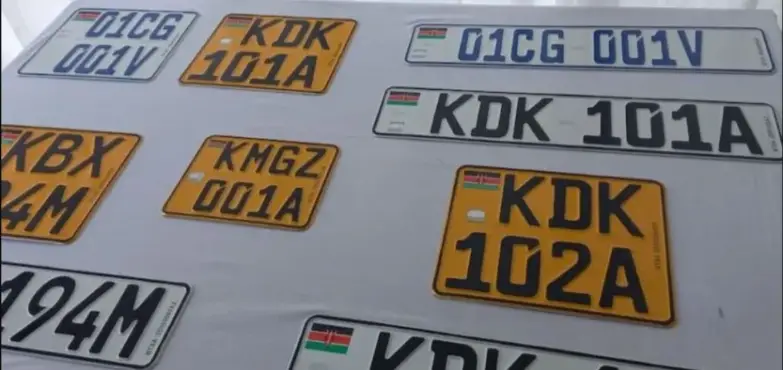
Replacing lost number plate

How to Replace a Lost Number Plate in Kenya via eCitizen

Lost number plates in Kenya are frustrating—not just because of the inconvenience, but also because of the bureaucracy that follows. Fortunately, the National Transport and Safety Authority (NTSA) has simplified the replacement process through the eCitizen portal. You no longer need to queue at NTSA offices; most of the process can be done online.

Here’s a practical step-by-step guide on how to replace lost number plates using eCitizen.

How to Apply for New NTSA number plates

Step 1: Log into Your eCitizen Account
Head over to ecitizen.go.ke and sign in with your details.
If you don’t have an account, register using your National ID or Alien ID.
Step 2: Access NTSA Services
Once logged in, navigate to the NTSA Service Portal.
Click on Motor Vehicle to display details of your registered vehicles.
Step 3: Apply for Reflective Plates
Under motor vehicle services, select Apply for Reflective Plates.
When prompted for the reason, choose Lost.
Step 4: Upload Required Documents
Prepare the following documents in PDF format and upload them:
– A police abstract reporting the loss.
– A copy of the vehicle logbook or proof of ownership.
– A valid ID or passport.
Step 5: Pay and Submit
Pay the number plates fee directly on eCitizen. Payment options include M-PESA, bank transfer, or credit card.

Fees:
Single plate: Ksh 1,550
Pair of plates: Ksh 3,050

Once payment is confirmed, submit the application. NTSA will notify you via SMS when your lost number plate replacements are ready for collection.

How Long Does It Take replace lost number plates?

The replacement process typically takes about 7 working days. You can pick up your plates at your chosen NTSA office.

You can create a temporary number plate using our tool while waiting for number plate production.

Why Reporting Matters

If your number plate goes missing, always report it to the police. Stolen or lost plates can be used in crimes or traffic violations, which could leave you falsely implicated. The police abstract is not just a formality—it’s a safeguard.

Why Reflective Plates?

The reflective plates NTSA issues today are tamper-proof and more secure. They improve visibility at night and make it harder for fraudsters to duplicate or misuse vehicle identity.

Final Word

Losing a number plate is stressful, but it doesn’t have to derail your routine. With NTSA’s online system, you can handle most of the process from home. Just gather the right documents, follow the steps, and within a week you’ll be back on the road legally and safely.

For more tips and updates on NTSA services, keep checking the eCitizen portal—or follow Mwash Cyber for simplified guides that make digital services easier to navigate.

Read More Posts

Visit our online shop

Who pays the ntsa vehicle transfer fees?

Who Pays for NTSA Vehicle Transfer Fees in Kenya?

So you just shook hands on a car deal — a nice clean Subaru or a hardworking Probox, and you’re ready to hit the road. But wait. NTSA wants its pound of flesh. That’s right: vehicle transfer fees. The question now is: who foots the bill? The buyer, the seller, or some mysterious third party from the shadows

Let’s clear the air.

First Things First: What are NTSA Vehicle Transfer Fees?

In Kenya, once a vehicle changes hands, you’re supposed to officially transfer the ownership on the NTSA eCitizen portal. That’s how the buyer becomes the new legal owner.

NTSA charges a vehicle transfer fee, which varies based on the vehicle’s engine capacity and type — the bigger the engine, the deeper you dig into your pocket. It’s a government fee, not a bribe, so you’ve got to pay it. There’s also an excise duty or tax if you’re importing, but that’s a whole other animal.

Who’s Legally Required to Pay NTSA Vehicle Transfer Fees?

Who pays the ntsa vehicle transfer fees?
Young bearded african american man thinking about doubt with finger on chin and looking up, isolated on blue background. People lifestyle concept

Here’s the twist — Kenyan law doesn’t clearly say who must pay the vehicle transfer fees. Yep, it’s not legally fixed. The NTSA just wants the money. So it boils down to…

A Matter of Agreement Between Buyer and Seller

In most real-life cases in Kenya:

  • The buyer pays the vehicle transfer fees.
  • Why? Because they’re the one who needs the car to be under their name. If the car remains under the seller’s name, they’re the ones who’ll be summoned for speeding tickets and unpaid parking fees in Eldoret even if they live in Kitengela.

But again, this is all negotiable.

Sometimes:

  • The seller agrees to pay, especially if they’re desperate to close the deal quickly.
  • Or they split the cost.
  • Or they build the transfer fee into the final sale price (clever ones do this without telling you).

Here’s a classic breakdown:

SituationWho Typically Pays
Buyer is desperate to own the carBuyer pays
Seller wants a clean, quick dealSeller may pay
Corporate or high-value car salesOften split or negotiated
Vehicle sold “as-is” with logbookBuyer almost always pays

Real-Life Hack: Put It in Writing!

Always — and I mean always — include this detail in your sale agreement:

“Buyer to cater for transfer fee” or “Seller agrees to handle transfer and pay applicable fee.”

No one wants drama at NTSA because someone went ghost after Mpesa-ing the cash. Your agreement is your backup plan when people start “catching amnesia.”

How Much Are We Talking?

Check oit how much you are supposed to pay for vehicle transfer using Ntsa Transfer Charges Calculator

So if you’re buying a V8 Land Cruiser, don’t expect it to cost the same as a TVS boda boda. NTSA isn’t running a charity.

What If No One Pays?

Simple. The vehicle remains under the seller’s name — and all the mess that comes with it:

  • Seller gets summoned for accidents they didn’t cause.
  • Buyer can’t legally sell the car later.
  • NTSA flags the car as “Pending Transfer.”
  • You can’t apply for services like NTSA smart driving license renewals, logbook copies, or insurance changes.

Bottom line: no transfer = no peace.

Conclusion: Talk It Out and Sort It Out

Don’t assume. Don’t guess. Don’t say, “Ah, I thought we’d figure that later.”
Figure it before money changes hands. Just like fuel, transfer fees are part of the total cost of ownership.

Pro Tip from the Cyber

If you’re a buyer, just budget for the transfer fee. It saves arguments, wasted time, and ugly scenes.

One last word?
Whether you’re buying a beast or a jalopy, remember: a handshake is nice, but a signed agreement and cleared NTSA transfer are priceless.

Follow us on Facebook

An image of a driver on steering wheel with caption written pdl application fee

A Guide to PDL Application Fee

This post discusses PDL application fee.

If you are planning to learn how to drive in Kenya, the first step PDL application. This provisional driving license allows you to practice driving under supervision while preparing for your driving test. But before you start, it’s important to understand the cost involved—especially the PDL application fee.

In this article, we’ll break down the current PDL application fee in Kenya. We’ll discuss the payment process, and other key requirements you need to know before applying.

An image of a driver on steering wheel with caption written pdl application fee

What is a Provisional Driving License?

A Provisional Driving Licence is issued by the National Transport and Safety Authority (NTSA) through the eCitizen platform. It allows learner drivers to legally motor vehicle on Kenyan roads provided they are accompanied by a licensed instructor.

It is valid for three months and can be renewed if necessary.

PDL Application Fee in Kenya

As of the latest update, the official application fee is Ksh 650. This includes:

  • PRocessing fee: Ksh 650

This fee is non-refundable and must be paid during the application process on the eCitizen portal.

Requirements for PDL application

To apply for a Provisional Driving License, you must:

  • Have a National ID or Alien ID (for non-citizens)
  • Be 18 years or older
  • Create and log into an eCitizen account (https://www.ecitizen.go.ke/)
  • Have a passport-sized photo
  • Know the Driving School you will be registering under
  • Have access to M-Pesa, debit/credit card, or other payment options available on eCitizen

How to Apply for a Provisional Driving License Online

  1. Log in to your eCitizen account.
  2. Go to NTSA Services and select New Driving Licence Application.
  3. Choose Provisional Driving Licence .
  4. Fill in the required details and upload a passport photo.
  5. Select your driving school from the dropdown menu.
  6. Proceed to make payment (Ksh 650).
  7. After payment, download your provisional driving license from your account dashboard.

Important Notes

  • The document must be printed or saved digitally—you’ll need to present it during driving lessons and exams.
  • You must use a registered and licensed driving school.
  • A valid provisional driving license is required before booking your driving test on the NTSA portal.

Need Help with the Application?

If you are having trouble applying for your provisional driving license online or need assistance with eCitizen, Mwash Cyber can help. Reach us via WhatsApp at 0707637143 for affordable and reliable service.

Conclusion

The application fee is straightforward and affordable at just Ksh 650. With this licence, you take the first legal step toward becoming a fully licensed driver in Kenya. Make sure to follow the process carefully, pay through eCitizen, and only work with accredited driving schools.

Visit our Shop

See what we’ve been talking about

5 steps to obtain your ntsa inspection report and e-sticker

How to Download Your NTSA Inspection Report and E-Sticker

After a vehicle inspection, you’re required to keep the inspection report among your documents and have the e-sticker affixed to your vehicle’s windscreen.


If you’re unsure how to obtain these documents, don’t worry — this article explains what they are and how you can get them easily.

Inspection reports and e-stickers are issued only to vehicles with valid inspection.
This means that if your vehicle hasn’t been inspected, you’ll need to book an inspection and present the vehicle for assessment.
If you’re unsure whether your vehicle has a valid inspection, follow the steps in this guide to check your inspection status.

How to Check Vehicle Inspection Status

To check the status of your vehicle’s inspection, follow these simple steps:

1
Download the NTSA mobile app from the App Store or Google Play Store.
2
Log in to your account using your eCitizen credentials.
3
Navigate to the Services section and select Inspection Status.
4
Enter your vehicle’s registration number to retrieve the inspection status.

A green status confirms your vehicle has successfully passed inspection. A red status indicates your vehicle has not yet been inspected. If your vehicle has been inspected but still shows red, allow up to 24 hours for NTSA to update records.

After your vehicle’s details have been updated with NTSA, you can confidently drive knowing your car meets Kenya’s roadworthiness standards. With NTSA’s digital systems, maintaining compliance has never been more efficient. Even better, once issued, the inspection compliance remains valid for one year unless a new inspection is required earlier.

The NTSA issues two key documents after a successful vehicle inspection: the e-sticker and the vehicle inspection report. These documents are essential for taxi operators and vehicle owners, especially when required for licensing, traffic checks, and compliance audits. Fortunately, accessing and downloading these documents is now quick and straightforward through the NTSA service portal.

What Are the NTSA E-Sticker and Vehicle Inspection Report?

Sample vehicle esticker
A Vehicle Esticker

After a successful inspection, NTSA issues an e-sticker and a vehicle inspection report to the vehicle owner. These documents confirm that the vehicle has met the safety and mechanical standards required by law.

The NTSA e-sticker is a digital inspection sticker affixed to your vehicle’s windshield. It features a QR code. When the QR code is scanned, it reveals vehicle’s inspection status, date it was last inspected, and the validity period. The sticker is valid for 12 months from the date of inspection, barring any mechanical faults that require a re-inspection. It serves as an official and visible sign of roadworthiness.

The Vehicle Inspection Report is a detailed document outlining the results of the inspection. It includes a vehicle’s particulars, the date and place of inspection, and a summary of the parts. This document acts as legal confirmation that your vehicle passed inspection and meets the NTSA’s compliance requirements.

Together, these documents provide both proof and peace of mind that your vehicle is safe for use on Kenyan roads.

How to Download the Vehicle Inspection Report and E-Sticker

Vehicle inspection report sample
Inspection report sample

To download your NTSA vehicle inspection report and e-sticker, follow the steps below:

Step 1: Visit NTSA eCitizen Portal
Go to https://serviceportal.ntsa.go.ke and log in to your account.
Step 2: Go to Vehicle Inspection
Navigate to Services and select Vehicle Inspection.
Step 3: Select Vehicle
Under the Inspection History tab, find the vehicle whose report you want to download.
Step 4: Download Documents
You will see two options: Download E-Sticker and Download Inspection Report. Click each link to download the respective PDF files.
Step 5: Print and Use
Once downloaded, you can print the inspection report for personal records. Print and stick the e-sticker on your vehicle’s windshield as required.

Ensure the e-sticker is printed clearly and placed where it is visible to enforcement officers. Always keep a copy of the inspection report in your vehicle, especially if you’re operating as a taxi, PSV, or commercial vehicle.

By following these steps, you ensure full compliance with NTSA requirements while also maintaining safe driving standards. For assistance, visit an NTSA office or your nearest Huduma Centre.

What we’ve been talking about

Visit our online shop

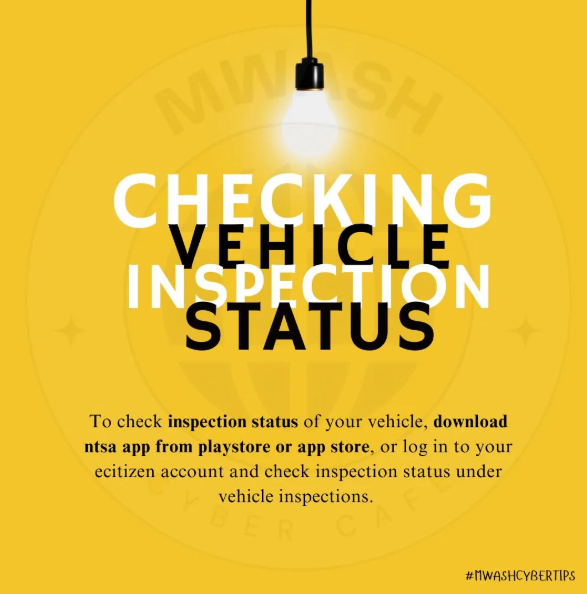
Checking vehicle inspection status

How to Check Vehicle Inspection Status

This guide shows how to check vehicle inspection status

Checking the inspection status of your vehicle in Kenya is fast and convenient through digital platforms. NTSA allows vehicle owners to verify inspection details through the eCitizen portal or the official NTSA mobile app.

Using these tools, you can easily check whether a vehicle has been inspected, view its inspection status, and confirm the expiry date of the current inspection certificate. This is especially useful when planning to book a new inspection appointment in advance.

How to Check Vehicle Inspection Status

Method 1: Using Your Mobile Phone
Benefits: Anyone with the vehicle registration number and an eCitizen account can check inspection status.

If you don’t have an eCitizen account, create one at accounts.ecitizen.go.ke.

Steps:
1. Open your phone’s Play Store or App Store and search for the NTSA app.
2. Download and install the NTSA app, then open it.
3. Log in using your ID number and the OTP sent to you.
4. On the services page, select “Verify Inspection” and follow the instructions.
5. Your vehicle inspection status will be displayed.

Note: If the inspection has expired, log in to your eCitizen account using the eCitizen app or the NTSA service portal, then book the earliest available date for inspection.
Method 2: Using eCitizen App or NTSA Service Portal
Benefits: Faster booking for your vehicle inspection.

Steps:
1. Log in to your vehicle owner eCitizen account using your ID number, password, and OTP.
2. Navigate to the NTSA platform and select the “Inspections” tab.
3. You will see a list of your vehicles and their inspection statuses.
4. Review the details, check the vehicles in question, and note their inspection expiry dates.
Method 3: Via Our WhatsApp Inspection Service

Need a quick and stress-free way to check your vehicle’s NTSA inspection status? Use our WhatsApp service.

💬 Chat on WhatsApp
An image showing how to check vehicle inspection status

If expired:

Book for your vehicle inspection for safety and regulatory compliance. To book an inspection:
Log in to the NTSA portal at serviceportal.ntsa.go.ke, navigate to your vehicle services dashboard, and select “Annual Inspection” to continue with the booking.

Fees: Ksh 1000
Ecitizen Access fee: Ksh 50
Total: Ksh 1050

Once your inspection is booked, make sure you take your vehicle to the selected inspection center.

List of Inspection Centers
Directions (on google maps for every NTSA Inspection Center in Kenya
Nearest Inspection center (By County)

An image showing multiple cars in a dealership along with a text -how to accept vehicle ownership in ecitizen in kenya

How to Accept Vehicle Transfer on NTSA

This post will take you through the steps to accept vehicles transferred to you.

Transferring vehicle ownership in Kenya is a seamless process thanks to the digitization of services by the National Transport and Safety Authority (NTSA) through the eCitizen platform. Whether you’ve just purchased a second-hand car, received a vehicle as a gift, or inherited one, accepting ownership on eCitizen is a critical step to officially register the vehicle in your name.

This article provides a step-by-step guide on how to accept vehicle ownership on the eCitizen portal.

What you need to Accept Vehicle Ownership

Before you begin, ensure you have the following:

1. An Active eCitizen Account

Both the seller and buyer must have registered accounts on eCitizen.
Visit: https://accounts.ecitizen.go.ke/

If you don’t have an account, sign up using your National ID or Alien ID and a valid phone number.

2. Seller’s Initiation

The current owner (seller) must initiate the transfer process on their eCitizen account and notify the buyer to accept the request.

3. Vehicle Details

Ensure you know the vehicle’s registration number (number plate), which is required to verify and accept the transfer request.

4. Stable Internet Connection

You’ll need a device with a reliable internet connection to complete the vehicle transfer process smoothly on eCitizen.

How to Accept Vehicle Ownership on eCitizen

Once the seller has initiated the transfer, it’s your turn as the buyer to accept vehicle ownership. Follow these steps:

Step 1: Log In to Your eCitizen Account

  • Visit the eCitizen portal: https://accounts.ecitizen.go.ke
  • Enter your login credentials (email/ID and password).
  • Verify your personal details to confirm you’re on the correct account.

Step 2: Access the NTSA Service Portal

  • On your eCitizen dashboard, select “National Transport and Safety Authority (NTSA)” under Government Services.
  • Click “NTSA Service Portal (New)” to access vehicle services.

Step 3: Check for Transfer Notification

  • Open the “Notifications” tab on the NTSA portal homepage.
  • Look for a “Request for Consent” notification with the vehicle’s registration number and seller’s name.
  • If nothing appears, the seller has not initiated the transfer — contact them.

Step 4: Accept the Ownership Transfer

  • Click the notification to view the vehicle transfer details.
  • Verify that the registration number and details match your expected vehicle.
  • Select “Accept” to continue. If you decline, the vehicle returns to the seller’s ownership.

Step 5: Fill in Collection Details

  • After accepting, you’ll be prompted to provide your logbook collection details.
  • Select your preferred notification method (SMS, Email, or both).
  • Choose a “Logbook Counter Collection Office” near you.
  • Preview all entered details, tick the declaration box, and click “Submit.”

Step 6: Await Approval and Logbook Issuance

  • NTSA will process your logbook transfer. This may take 3–14 working days depending on workload.
  • You will receive a notification when the new logbook is ready. Bring the old logbook (if available) when collecting.

Tips for a Smooth Process

  • Double-Check Details: Ensure the vehicle registration number and seller’s information match your agreement to avoid accepting the wrong transfer.

Read more posts

An image of the old red book driving license and the digital driving license

Checking DL Status : How to check your Driving Licence

If you’re wondering how to check the status of your driving license in Kenya, the National Transport and Safety Authority (NTSA) has made the process straightforward through its online platforms. Whether you’ve applied for a new driving licence, a renewal, or a duplicate, keeping track of its progress is essential.

This article will guide you step-by-step on how to check your dl status with NTSA, ensuring you stay informed and road-legal.

An image of a driver

Why Check Your DL Status?

Before diving into the “how,” let’s briefly touch on the “why.” Checking your driving licence status allows you to:

  • Confirm whether your application has been processed.
  • Know when your licence is ready for collection.
  • Identify any issues or delays with your application.
  • Ensure compliance with Kenya’s traffic laws, as driving without a valid licence can lead to penalties.

With the NTSA’s digitization efforts, you no longer need to visit their offices physically to get this information—everything can be done online or via mobile services.

An ai generated image of a man checking his dl status

Methods to Check Your DL Status

There are two primary ways to check your dl status with NTSA: through the NTSA eCitizen portal or via the NTSA mobile app.

Below, we’ll break down each method.

1. Using eCitizen Portal
2. Using NTSA Mobile App

Using the NTSA eCitizen Portal

The eCitizen platform is the official government portal for accessing NTSA services. Here’s how to use it:

Step-by-Step Guide:

  1. Visit the eCitizen Website: Go to www.ecitizen.go.ke .
  2. Log In or Register: Log in using your email and password, or click “Create an Account” and register using your ID number and other personal details.
  3. Access NTSA Services: Once logged in, navigate to the “National Transport and Safety Authority” section under the list of government services.
  4. Check Status: On the NTSA dashboard, you can view the status of your driving licence application.
  5. View Results: The portal will show whether your licence is “Processing”, “Approved”, or “Ready for Collection”.

Tips:

  • Ensure you have a stable internet connection.
  • Keep your application reference number handy.
  • If you run into trouble, use the “Help” or “Support” section on the portal.

Using the NTSA Mobile App

The NTSA mobile app is a convenient option for checking driving licence status from your phone.

Step-by-Step Guide:

  1. Download the App: Go to the Google Play Store (Android) or the Apple App Store (iOS), and search for “NTSA App.”
  2. Install and Open: Open the app once installed.
  3. Log In or Sign Up: Use your existing eCitizen credentials, or sign up using your ID number.
  4. Navigate to Driving License Section: In the app’s services, tap “Driving License.”
  5. Check Status: Tap “Verify” (or similar), then enter your application reference number or ID number.
  6. Get Updates: The app will display your licence application status in real-time. Enable notifications to get alerts when there’s a change.

Tips:

  • Make sure your app is up to date.
  • Turn on push notifications so you don’t miss status updates.

What to Do After Checking the Status

  • If Approved and Ready: Visit the designated NTSA office or Huduma Centre with your ID and application reference number to collect your driving licence.
  • If Still Processing: Be patient, as processing times can vary depending on demand and verification requirements.
  • If Delayed or Rejected: Contact NTSA customer support via their official helpline or email for clarification.

Common Challenges and Solutions

  • Website/App Downtime: Try again later or use the alternative method (e.g., switch from the website to the app).
  • No Status Update: If it’s been unusually long, visit an NTSA office with your documents for assistance.

Final Thoughts

Checking the status of your driving licence with NTSA is a simple process thanks to their online tools. Whether you opt for the eCitizen portal or the NTSA app, you can stay updated without the hassle of long queues. Always ensure your details are correct during the application to avoid delays, and keep your reference number safe for easy tracking.

For the most current information, visit the official NTSA website (www.ntsa.go.ke) or follow their social media updates. Safe driving starts with a valid license—stay on top of it!

Also read how to check vehicle inspection status

Ntsa authorization letter

Understanding a Business to NTSA Authorization Letter: Purpose and How to Write One

The National Transport and Safety Authority (NTSA) in Kenya oversees critical transport-related services, such as vehicle registration and management, which have been integrated into the eCitizen platform since the shutdown of the Transport Integrated Management System (TIMS) portal in January 2024. For businesses or companies that need to manage their vehicles on the NTSA portal via eCitizen, an authorization letter is often required to delegate authority to an individual to act on behalf of the company.

This is particularly relevant when adding or updating a company on an individual’s eCitizen account.

This article explains the purpose of such an authorization letter and provides a step-by-step guide on how to write one specifically for adding or updating a company on the eCitizen platform for NTSA services.

What is an NTSA Authorization Letter for a Business on eCitizen?

An NTSA authorization letter for a business is a formal document that grants permission to an individual to act on behalf of a company in NTSA-related transactions on the eCitizen platform. Since the migration of NTSA services to eCitizen, businesses must link their entities to the platform to manage vehicles, apply for permits, or handle other transport-related tasks. However, only an authorized individual with an eCitizen account can perform these actions on behalf of the company. The authorization letter ensures that the NTSA recognizes the individual’s authority to add or update the company’s details on the eCitizen platform, as noted in the requirements outlined by one of our previous articles about adding a business to an individual ecitizen account.

This letter is typically used in scenarios such as:

  • Adding a Company to eCitizen: To link a business to the NTSA portal for vehicle management.
  • Updating Company Details: To correct or update business information on the eCitizen platform.
  • Managing Company Vehicles: To authorize an individual to handle vehicle-related transactions, such as transfers or inspections, on behalf of the company.

Why is an Authorization Letter Necessary?

The NTSA requires formal authorization to ensure that only legitimate representatives of a company can manage its transport-related affairs on the eCitizen platform. This prevents unauthorized access and ensures compliance with Kenyan laws. Without an authorization letter, the NTSA may reject requests to add or update a company on eCitizen, leading to delays in managing business operations. Additionally, the letter provides a legal record of the delegation, protecting both the company and the individual acting on its behalf.

How to Write an NTSA Authorization Letter for Adding a Company to eCitizen

Writing an authorization letter for this purpose requires clarity and adherence to formal standards. Below is a step-by-step guide tailored to authorizing an individual to add or update a company on the eCitizen platform for NTSA services.

1. Include the Company’s Letterhead and Date

Since this letter is from a business, use the company’s official letterhead, which includes the company name, logo, address, and contact details. Below the letterhead, add the date of writing.

Example:

ABC Logistics Limited  
P.O. Box 98765-00100, Nairobi  
Phone: +254 722 123 456  
Email: info@abclogistics.co.ke  
March 25, 2025

2. Address the Letter to the NTSA

Direct the letter to the NTSA, specifying the office if known (e.g., NTSA Nairobi Headquarters). Otherwise, a general address to the NTSA is acceptable.

Example:

The Officer in Charge  
National Transport and Safety Authority  
P.O. Box 3602-00506, Nairobi  
Kenya

3. Add a Subject Line

Include a concise subject line that clearly states the purpose of the letter.

Example:

Subject: Authorization Letter to Add ABC Logistics Limited to eCitizen Account for NTSA Services

4. Write a Formal Salutation

Use a formal greeting to address the NTSA officer.

Example:

Dear Sir/Madam,

5. State the Purpose of the Letter

In the opening paragraph, explain that the letter is to authorize an individual to act on behalf of the company for the purpose of adding or updating the company on the eCitizen platform for NTSA services. Mention the company’s details, such as its registration number, to establish its identity.

Example:

We, ABC Logistics Limited, a company duly registered under the laws of Kenya with registration number CPR/2015/123456, hereby write to authorize Mr. James Kariuki to act on our behalf in adding and managing our company’s details on the eCitizen platform for NTSA services. This authorization is necessary to enable us to manage our fleet of vehicles through the NTSA portal.

6. Provide Details of the Authorized Individual

Include the full name, ID number, and contact information of the individual being authorized. This allows the NTSA to verify their identity.

Example:

We authorize Mr. James Kariuki, ID No. 23456789, residing at P.O. Box 54321-00100, Nairobi, and reachable at +254 733 987 654, to add ABC Logistics Limited to his eCitizen account and manage all NTSA-related services on our behalf.

7. Specify the Scope of Authorization

Clearly outline what the individual is permitted to do. In this case, focus on adding or updating the company on eCitizen and managing NTSA services.

Example:

Mr. James Kariuki is authorized to add ABC Logistics Limited to his eCitizen account, update our company details as necessary, and handle all NTSA-related transactions on our behalf, including but not limited to vehicle registration, ownership transfers, and permit applications. He is also permitted to submit required documents, pay applicable fees, and receive any correspondence from NTSA on our behalf.

8. Include a Validity Period (Optional)

If the authorization is time-bound, specify the validity period. Otherwise, state that it remains valid until revoked.

Example:

This authorization is valid until revoked in writing by ABC Logistics Limited.

9. Attach Supporting Documents

Mention the documents you are attaching, as required by the NTSA for adding a company to eCitizen. These include a CR12, Certificate of Incorporation, a sworn affidavit and minutes from the meeting where the business directors agreed to add the individual as an authorized person

Example:

We have attached the following documents for your reference: a copy of our Certificate of Incorporation, CR12, an extract of the management meeting minutes approving this authorization, an original affidavit confirming the accuracy of the information provided, and a copy of Mr. James Kariuki’s national ID.

10. Close with Signatures and Company Seal

End the letter with a formal closing, signed by an authorized company representative (e.g., a director). Include their name, title, and the company seal if available. Provide contact details for follow-up.

Example:

Thank you for your assistance in this matter. For any clarification, please contact us at +254 722 123 456 or info@abclogistics.co.ke.

Yours faithfully,  
[Signature]  
Mary Wanjiku  
Managing Director  
ABC Logistics Limited  
[Company Seal]

Additional Tips for Writing the Letter

  • Use Company Letterhead: This adds authenticity and aligns with formal business communication standards.
  • Verify NTSA Requirements: the NTSA will require specific documents like a CR12 or affidavit. Confirm these requirements on the NTSA website or by contacting their office.
  • Ensure eCitizen Account Readiness: The authorized individual must have an active eCitizen account to proceed with adding the company.
  • Notarization: Consider having the letter notarized, especially if the NTSA requires it for verification.
  • Keep Copies: Retain copies of the letter and all attachments for your records in case of future disputes.

Sample NTSA Authorization Letter for Adding a Company to eCitizen

Below is a complete sample letter based on the steps above:

ABC Logistics Limited  
P.O. Box 98765-00100, Nairobi  
Phone: +254 722 123 456  
Email: info@abclogistics.co.ke  
March 25, 2025

The Officer in Charge  
National Transport and Safety Authority  
P.O. Box 3602-00506, Nairobi  
Kenya

Subject: Authorization Letter to Add ABC Logistics Limited to eCitizen Account for NTSA Services

Dear Sir/Madam,

We, ABC Logistics Limited, a company duly registered under the laws of Kenya with registration number CPR/2015/123456, hereby write to authorize Mr. James Kariuki to act on our behalf in adding and managing our company’s details on the eCitizen platform for NTSA services. This authorization is necessary to enable us to manage our fleet of vehicles through the NTSA portal.

We authorize Mr. James Kariuki, ID No. 23456789, residing at P.O. Box 54321-00100, Nairobi, and reachable at +254 733 987 654, to add ABC Logistics Limited to his eCitizen account and manage all NTSA-related services on our behalf. Mr. James Kariuki is permitted to add our company to his eCitizen account, update our company details as necessary, and handle all NTSA-related transactions, including but not limited to vehicle registration, ownership transfers, and permit applications. He is also authorized to submit required documents, pay applicable fees, and receive any correspondence from NTSA on our behalf.

This authorization is valid until revoked in writing by ABC Logistics Limited. We have attached the following documents for your reference: a copy of our Certificate of Incorporation, CR12, an extract of the management meeting minutes approving this authorization, an original affidavit confirming the accuracy of the information provided, and a copy of Mr. James Kariuki’s national ID.

Thank you for your assistance in this matter. For any clarification, please contact us at +254 722 123 456 or info@abclogistics.co.ke.

Yours faithfully,  
[Signature]  
Mary Wanjiku  
Managing Director  
ABC Logistics Limited  
[Company Seal]

Conclusion

An NTSA authorization letter is essential for businesses seeking to delegate authority to an individual to manage their transport-related affairs on the eCitizen platform. By following the steps outlined above, companies can ensure that their letter meets NTSA requirements, facilitating a smooth process for adding or updating their details on eCitizen. Always verify the latest NTSA guidelines, as procedures may evolve, and ensure all required documents are attached to avoid delays. For further assistance, businesses can refer to the NTSA service portal at serviceportal.ntsa.go.ke or contact the NTSA directly.

An image of a kenyan digital driving license with a text that reads how to verify your driving license

How to Verify Driving License

Not sure how to verify driving license in Kenya? This post walks you through the steps.

Verify driving license

The National Transport and Safety Authority (NTSA) in Kenya oversees the issuance and management of driving licenses, ensuring road safety and compliance with traffic regulations.

Whether you want to verify the status of your driving license, check its validity, or confirm its details, the NTSA provides a convenient online platform to do so.

This article outlines the step-by-step process to check your driving license using NTSA services.

Why Verify Driving License?

Before diving into the process, it’s worth understanding why you might need to check your driving license:

  • Verification: Ensure your license is genuine and registered with NTSA.
  • Renewal: Confirm the expiry date to avoid penalties for driving with an expired license.
  • Lost License: Retrieve details if your physical license is misplaced.
  • Application Status: Check the progress if you’ve applied for a new or renewed license.

Prerequisites

To check your driving license online, you’ll need:

  1. A stable internet connection.
  2. A device (smartphone, tablet, or computer).
  3. Your driving license number or national ID number used during registration.
  4. Access to the NTSA eCitizen portal or NTSA App

Step-by-Step Guide to Check Your Driving License

Step 1: Visit the NTSA Service Portal

The NTSA service portal is the official platform for managing driving licenses and vehicle-related services in Kenya. To begin:

  • Open your browser and go to the eCitizen website: serviceportal.ntsa.go.ke.
  • Alternatively, use the eCitizen portal (ecitizen.go.ke) and navigate to the NTSA section.

Step 2: Log In or Register

If you’re a first-time user, you’ll need to create an account:

  1. Click on “Register” and choose “Individual” or “Company,” depending on your status.
  2. Provide your national ID number, phone number, and other required details.
  3. Set a password and verify your account via the confirmation code sent to your phone or email.

If you already have an account:

  1. Click “Login.”
  2. Enter your ID number and password to access your dashboard.

Step 3: View Your License Information

Once logged in:

  • On the Service Portal dashboard, You will see your driving license status, i.e Red for Expired or Archived and green for Valid

The system will display key details about your driving license, including:

  • License number
  • Issue date
  • Expiry date
  • License class (e.g., Class B for light vehicles)
  • Status (active, expired, or suspended)

Take note of this information or screenshot it for your records.

Alternative Method: NTSA Mobile App

If you prefer using your smartphone, NTSA offers a mobile app for easier access:

  1. Download the NTSA app from the Google Play Store or Apple App Store.
  2. Install and open the app.
  3. Log in with your ID Number and OTP.
  4. Navigate to the SERVICES >> driving license section and follow the prompts to check your license status.

Troubleshooting Common Issues

  • Login Problems: If you can’t log in, reset your password using the “Forgot Password” option.
  • No Record Found: Ensure you’ve entered the correct details. If the issue persists, visit an NTSA office with your ID for assistance.
  • Expired License: If your license is expired, apply for renewal through the same portal.

Important Tips

  • Regularly check your license status to stay compliant with NTSA regulations.
  • Avoid sharing your login credentials to protect your personal information.
  • If you suspect your license has been tampered with or is fake, report it to NTSA immediately.
Conclusion

Checking your driving license with NTSA is a straightforward process thanks to the NTSA service portal and mobile app. By following the steps outlined above, you can quickly verify your license details and ensure you’re legally ready to hit the road. For additional support, visit an NTSA office or contact their customer service through their official website or helpline.

Stay safe and drive responsibly!

Read More on What We’ve bee Writing about
Visit our shop

Vehicc

How to Apply for a Forced Vehicle Transfer

This post will guide you through how to apply for a forced vehicle transfer.

Forced vehicle transfer guide

In Kenya, a forced vehicle transfer comes into play when the registered owner can’t initiate a standard ownership transfer—think court-ordered auctions, bank repossessions, or cases where the owner’s whereabouts are unknown. The National Transport and Safety Authority (NTSA) oversees this process, and thanks to the eCitizen platform, it’s now manageable online.

This guide walks you through the why, how, and what you’ll need, including a detailed step-by-step process on eCitizen.

What Is a Forced Vehicle Transfer?

A forced vehicle transfer happens when a vehicle’s ownership shifts without the current owner’s direct consent or participation. It’s not your typical sale. Common scenarios include:

  • Court Order Auctions: Vehicles sold off by court mandate.
  • Bank Repossessions: Cars reclaimed and auctioned by lenders.
  • Succession Cases: Ownership changes due to inheritance.
  • Untraceable Owners: When the seller’s gone AWOL.
  • Police or Distress Auctions: Vehicles seized or sold for unpaid rent.

Unlike a regular transfer, a forced vehicle transfer requires extra proof to ensure legitimacy, protecting both the buyer and the system from fraud.

Requirements for a Forced Vehicle Transfer

The documents you need depend on the situation, but here’s the rundown for the most common cases:

  • Original logbook (if available) or a clear, colored scan in PDF format.
  • Tape lift report from the Directorate of Criminal Investigations (DCI) verifying chassis and engine numbers.
  • Copy of your ID (or certificate of incorporation for companies) and KRA PIN.
  • A sworn affidavit explaining why the transfer is forced (e.g., owner missing), often notarized before a magistrate.
  • Court Order Auctions: Court order, certificate of sale, auctioneer’s license, and tender documents.
  • Bank Repossessions: Bank discharge letter, auctioneer’s certificate, letter appointing the auctioneer, and sale receipt.
  • Succession Cases: Death certificate, grant of probate, or letters of administration.
  • Untraceable Owner: Affidavit proving attempts to locate the owner, plus acquisition proof (e.g., sale receipt).
  • Police/Distress Auctions: Auction certificate, police abstract (if applicable), and proof of purchase.

Combine all docs into one PDF for upload—NTSA’s strict about this.

Fees Involved

The cost of a forced vehicle transfer varies depending on the vehicle Rating and Inspection fee

Step-by-Step Process on eCitizen

Here’s how to apply for a forced transfer online, straight from your couch:

Head to ecitizen.go.ke and sign in with your ID number and password. No account? Register with your ID, email, and phone—it’s quick. You’ll land on the dashboard.

Click “National Transport and Safety Authority (NTSA)” from the service list. Select “NTSA Service Portal (New)” to enter the vehicle section.

Under “Services,” pick “Alternative/Forced Transfer” (it’s the same thing). Select the type of forced transfer (e.g., bank repossession, court order) from the dropdown.

Input the vehicle’s registration number (e.g., KCA 123X) and hit “Inquire.” Verify the details that pop up match your vehicle.

Attach your single PDF file with all required docs (logbook, tape lift, affidavit, etc.). Ensure it’s clear—blurry scans get rejected.

Choose your NTSA pickup point (e.g., Nairobi, Mombasa, or a Huduma Centre). Enter the ID number of the person collecting the logbook (you or a proxy).

Review everything, tick the declaration box, and click “Submit.” Pay the fee (Ksh 3,050 for private, Ksh 15,050 for commercial) via M-Pesa or card. You’ll get a confirmation SMS with a reference number.

NTSA imposes a 7-day standstill period to verify your docs and check for disputes. Sit tight.

After 7 days, log back in, check “Notifications,” and book an inspection slot at your preferred NTSA center. Bring the vehicle and original docs for physical verification.

Once approved, you’ll get an SMS to pick up the new logbook at your chosen center. Bring your ID (or the authorized collector’s ID).

Processing Time

From submission to collection, expect about 10–14 days: 7 for verification, 3–5 for inspection and issuance. Delays can happen if your docs are incomplete—double-check before submitting.

Tips for Success

  • Prep Thoroughly: Missing one document stalls the whole thing. Cross-check NTSA’s latest requirements on their site (ntsa.go.ke).
  • Track It: Use your eCitizen reference number to monitor progress.
  • Get Help if Stuck: Call NTSA at 0709 932 000 or visit an office if eCitizen glitches.

Why It Matters

Forced transfers cut through red tape when owners can’t or won’t cooperate, ensuring you can legally claim what’s yours. The fee’s steep for commercial rigs, but it beats prolonged ownership limbo. Plus, it curbs fraud—NTSA’s tape lift and affidavit rules make it tough for crooks to fake a transfer.

Applying for a forced vehicle transfer in Kenya via eCitizen is a game-changer—no endless queues, just a few clicks and patience. With the right docs and fees, you’re set to roll. Keep your paperwork tight, and soon enough, that logbook’s in your name, no seller required.

Check out our recent posts


Looking for Assistance with a Forced Transfer Application?

At Mwash Cyber, we assist with forced transfer applications. Visit our cyber café on Huruma Road with all the necessary documents, and we’ll handle the scanning and submission process for you.

Huruma RD, Opposite Huruma Mosque

Nairobi

0707637143  

info@mwashcyber.co.ke

Mwash cyber logo

Read More Posts
Check out our online shop

Duplicate logbook application process

Duplicate Logbook Application Guide

This post will you on the process of duplicate logbook application for lost or defaced logbooks.

Losing or damaging your vehicle’s logbook can feel like a major setback, but the process to replace it in Kenya has been streamlined thanks to the National Transport and Safety Authority (NTSA) and the eCitizen platform.

Whether your logbook’s gone missing or has become illegible, here’s a clear, practical guide to getting a duplicate, including the exact steps to follow on eCitizen

Why You Might Need a Duplicate Logbook

A logbook is your proof of vehicle ownership in Kenya. It’s essential for transactions like selling your car, transferring ownership, or even securing a loan. If it’s lost, stolen, or damaged beyond use, you’ll need a duplicate to stay on the right side of the law and keep your affairs in order.

What You’ll Need Before You Start

Before diving into the eCitizen process, gather these key items:

  • Police Abstract: If your logbook was lost or stolen, head to your nearest police station to report it and get an abstract. This isn’t needed if it’s just damaged, but you’ll still need to explain the condition.
  • Tape Lift Report: Visit the Directorate of Criminal Investigations (DCI) with your vehicle for a tape lift. They’ll verify the chassis and engine numbers match your registration details. Bring your ID and any vehicle documents you have.
  • Sworn Affidavit: Get a lawyer to draft and witness an affidavit stating that your logbook is lost or damaged and that you’re the rightful owner. This is a legal must.
  • Your ID: A copy of your national ID (or certificate of incorporation for companies) is required.
  • One PDF File: Combine the abstract (if applicable), tape lift report, and affidavit into a single PDF for upload.

Costs Involved

The total cost breaks down like this:

  • Duplicate Logbook Fee: Ksh 2,500
  • eCitizen Service Charge: Ksh 50 So, you’re looking at Ksh 2,550 total, payable through eCitizen via mobile money (like M-Pesa) or card.

Step-by-Step Process on eCitizen

Here’s how to apply for your duplicate logbook online:

How to Apply for a Duplicate NTSA Logbook

Duplicate logbook application process

Collecting Your Duplicate Logbook

After three days, check your eCitizen account or wait for an SMS notifying you that the logbook’s ready. Head to your chosen collection point with your ID. If someone else is picking it up, ensure they have their ID and your authorization details.

Tips for a Smooth Process

  • Act Fast: Report the loss or damage ASAP to avoid complications.
  • Check Status: Log back into eCitizen to track your application if you don’t hear back within a week.
  • Contact NTSA: For hiccups, call 0709 932 000 or email complaints@ntsa.go.ke.

Final Thoughts

Replacing a lost or damaged logbook in Kenya is no longer the headache it once was. With eCitizen, it’s a straightforward online process that takes a few clicks and a short wait. Keep your documents safe going forward—maybe invest in a fireproof box this time! By following these steps, you’ll have your duplicate logbook in hand and your vehicle affairs back on track.

Check out our recent posts
Check out our online Shop

Mwash cyber download vehicle sale agreement forms in pdf: 3 versions

Download Vehicle Sale Agreement Forms in PDF: 3 Versions

A vehicle sale agreement is a crucial document in the process of buying or selling a vehicle. It serves as a legally binding contract that outlines the terms and conditions of the sale, providing protection for both the buyer and the seller. This agreement details critical information such as the purchase price, vehicle identification number (VIN), make and model of the car, and the date of the transaction.

Mwash cyber download vehicle sale agreement forms in pdf: 3 versions

Having a written agreement is important because it helps prevent misunderstandings and disputes that might arise after the sale. It ensures that both parties are clear about their obligations and responsibilities, including any warranties or guarantees offered by the seller, and the payment terms agreed upon by the buyer. Moreover, it serves as proof of ownership transfer, which is essential for registering the vehicle under the new owner’s name.

In addition to protecting the involved parties, an agreement can also be a useful tool for legal recourse. Should any issue arise, such as undisclosed defects or non-payment, the agreement can be used as evidence in court to resolve the dispute. Therefore, taking the time to fill a comprehensive agreement is a wise decision that can provide peace of mind and security for both the buyer and the seller.

In this regard, we are offering several vehicle sale agreement samples available for free download. To complete the agreement, download the PDF, print it, and fill it out. Once completed, make copies and include a copy of your logbook, as well as copies for the involved parties and witnesses.

Download Vehicle Sale Agreement PDF

Samples

Download Sale Agreement PDF

Select a Sale Agreement Template

Choose the template you want to view:

Prefer Filling The Agreement online?

Read more posts

Follow us on Facebook
Our online shop

How to apply for a short-term road service license (rsl)

How to Apply for a Short-Term Road Service License (RSL)

A Short-Term Road Service License (RSL) allows Public Service Vehicles (PSVs) to temporarily operate on routes outside their usual routes for up to three days.

This license is crucial for PSVs needing to function under special conditions like events, emergencies, or heightened demand.

The application process is simple and managed via the NTSA portal on eCitizen.

Mwash cyber how to apply for a short-term road service license (rsl)

Steps to Apply for a Short-Term Road Service License

  1. Log in to Your eCitizen Account: Access your eCitizen account by visiting eCitizen. If you don’t have an account, create one before proceeding.
  2. Select NTSA Service Portal: After logging in, navigate to the NTSA service portal (labeled “New NTSA Services Portal”).
  3. Log in as a Public Transport Operator: Ensure you’re logged in as a Public Transport Operator to access services tailored for PSVs.
  4. Select Vehicle and Click on “View”: Choose the vehicle for which you are applying the short-term RSL by clicking on “View” under the vehicle’s details.
  5. Click on the Short-Term RSL Icon: Once the vehicle details are displayed, locate and click on the “Short-Term RSL” icon to proceed.
  6. Fill in the Required Details: Provide the necessary information, including the intended route and period of operation (not exceeding three days). Ensure the details are accurate before submission.
  7. Make the Payment: The cost of the Short-Term RSL is Ksh 1,350. Payments can be made online through the available options on the eCitizen platform.
  8. Check Application Status: After submission, monitor the status of your application under the “Application History” section.
  9. Download and Print the RSL: Once approved, download the Short-Term RSL from the portal and print it for use.

Charges for a Short Term Road Service Licence

The application fee for the Short-Term RSL is Ksh 1,350.

Processing Time for Short-Term Road Service License

Applications are handled on the same day, guaranteeing a quick response for urgent requirements.

Follow these steps to efficiently obtain a Short-Term Road Service License and ensure compliance with NTSA regulations when operating outside your licensed route. For additional assistance, contact NTSA through their customer service channels.

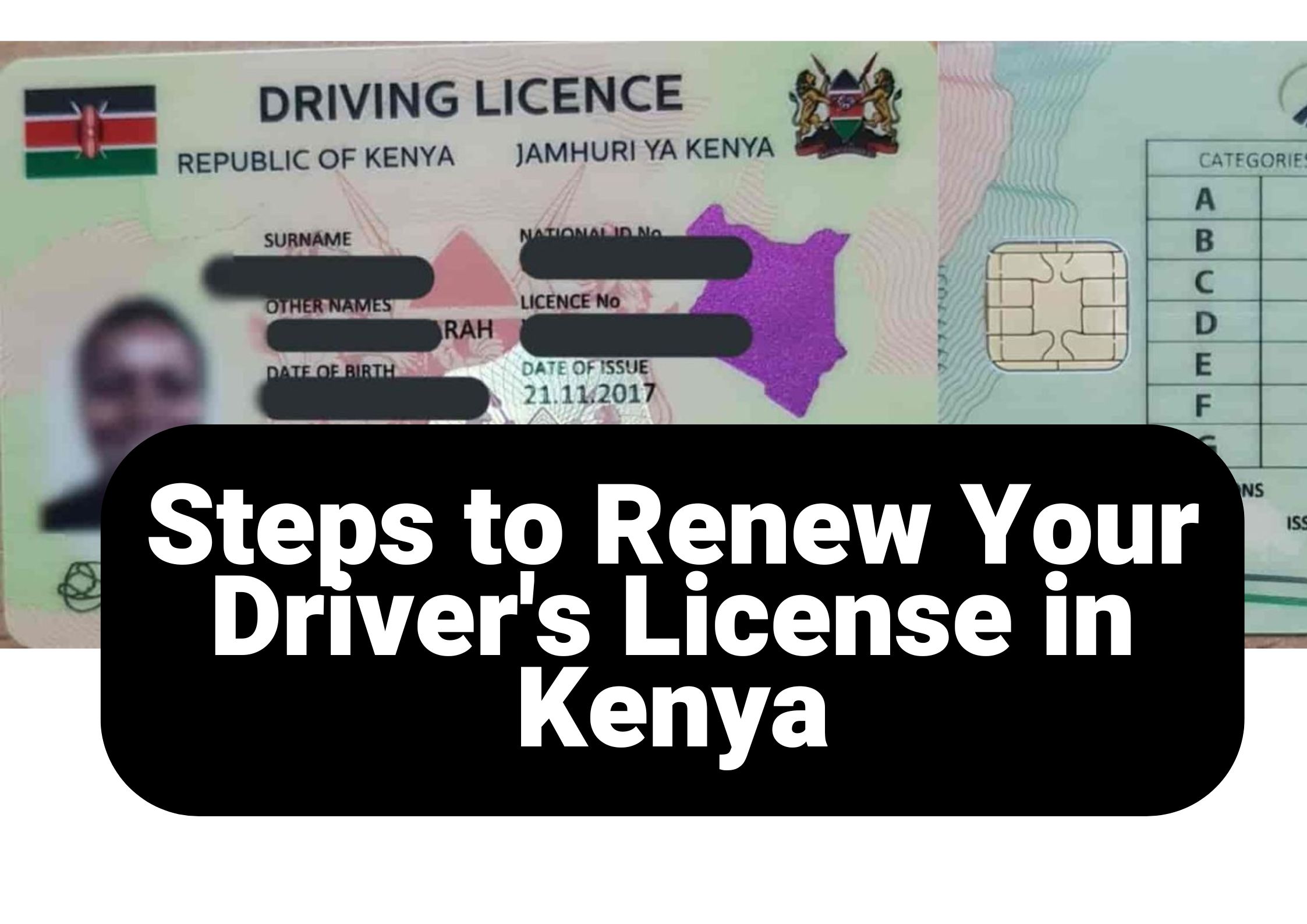
Steps-to-renew-your-drivers-license-in-kenya

How to Renew Driving License in 7 Steps

Renewing your driving license is an essential duty for every motorist, ensuring adherence to traffic regulations and maintaining legal permission to drive. In Kenya, the National Transport and Safety Authority (NTSA) has simplified this process via the eCitizen platform, enhancing both accessibility and efficiency.

To assist you to renew driving license, this guide offers a 7 step process overview, requirements, and key tips for a smooth experience.

Why Renew Driving License?

  • To maintain legal compliance and avoid penalties.
  • To ensure your license reflects updated personal details.
  • To gain access to the new smart driving license with enhanced security features.
  • To avoid disruptions in vehicle insurance claims.

Requirements to Renew Driving License

Before starting the renewal process, ensure you have the following:

  1. A valid Kenyan national ID card.
  2. An active eCitizen account.
  3. Access to a mobile payment platform (e.g., M-Pesa).
  4. Sufficient funds for the renewal fee.
  5. A stable internet connection.

How to Renew Driving License

  1. Visit eCitizen.
  2. Log in using your ID number and password.
  3. If you do not have an account, register by following the on-screen instructions.
  1. Once logged in, navigate to the National Transport and Safety Authority (NTSA) portal.
  2. Select the Driving License Renewal option from the list of services.
  1. Select your driving license type:
    • Red Book (1 Year): Ksh 600 + Ksh 50 convenience fee
    • Smart DL (3 Years): Ksh 3,000 + Ksh 50 convenience fee
  2. Confirm your selection and proceed.

Note: To obtain a Smart Driving License, schedule an appointment and visit a Huduma Center or NTSA office for biometric processing. If renewing an old driving license (red book), ensure you upload your passport photo in JPG format.

  1. Review your personal information, including your name, ID number, and license details.
  2. Make any necessary updates if the system allows.
  3. Upload a passport photo in JPG or JPEG format, then proceed.
  1. Proceed to payment and select your preferred method (e.g., M-Pesa, debit/credit card).
  2. Follow the prompts to complete the payment securely.
  3. Save the payment confirmation message or receipt.
  1. After successful payment, download your digital driving license renewal slip.
  2. Print a physical copy and keep a digital version for reference.

If you’re transitioning to the smart driving license:

  1. Book an appointment through the NTSA portal.
  2. Visit your chosen NTSA office with your ID and payment confirmation.
  3. Provide biometric data (fingerprints and passport-sized photo).
  4. Wait for a notification to collect your smart driving license.

Common Issues and Troubleshooting Tips

  • Forgotten Password: Use the password reset option on eCitizen.
  • Payment Errors: Double-check the paybill details and transaction reference.
  • Expired License: Renew before expiry to avoid fines.

Benefits of the Smart Driving License

  • Embedded microchip for enhanced security.
  • Digital record of driving offenses and penalties.
  • Convenient renewal process.
  • Compatibility with modern traffic enforcement systems.

Final Tips for a Smooth Renewal Process

  • Renew your license well before the expiry date.
  • Ensure your eCitizen account is active and accessible.
  • Keep a backup of your payment confirmation and renewal slip.
  • Verify all details before submission.

By following these detailed steps and tips, you can easily renew your driving license in Kenya and stay compliant with the law. Safe driving!

How to renew driving license

Read more posts

Check out our online shop

Rsl kenya discussion

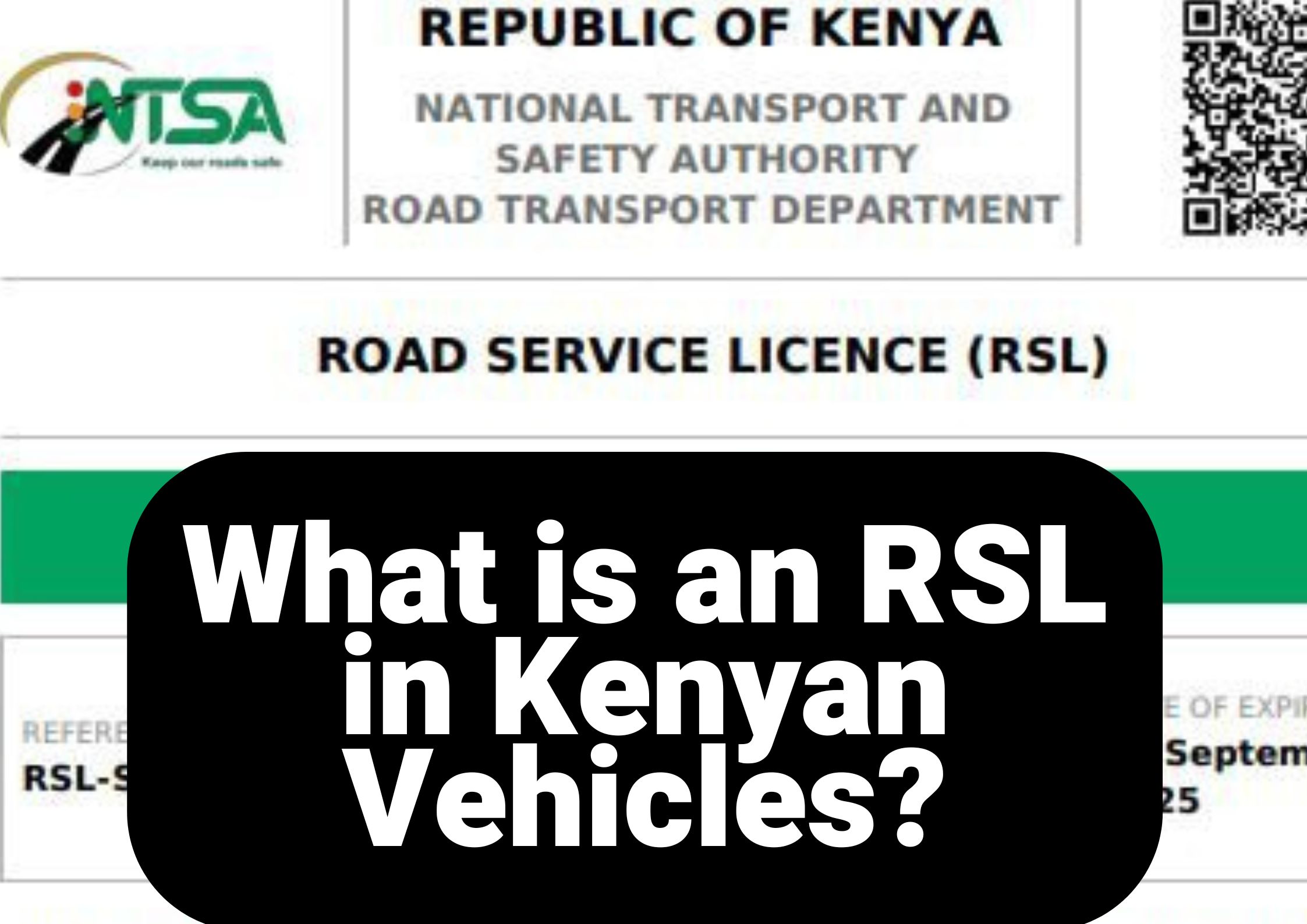
What is an RSL in Kenyan Vehicles?

In Kenya, RSL stands for the Road Service License issued by the National Transport and Safety Authority (NTSA). This license is crucial for commercial and public service vehicles (PSVs) to legally operate on Kenyan roads and specified routes. It verifies that the vehicle adheres to the established regulations concerning road safety, vehicle fitness, and operational standards. An RSL is also known as TLB.

In this article, we’ll cover everything you need to know about RSL/TLB, including the steps to obtain one.

Purpose of an RSL

The main goal of an RSL is to guarantee that vehicles used in commercial or public transportation adhere to designated safety and regulatory standards. It assists the NTSA in overseeing vehicle compliance and minimizing the dangers linked to unregulated transportation.

Vehicles That Require an RSL

  • Public Service Vehicles (PSVs)
  • Matatus and buses
  • Commercial trucks
  • School buses
  • Special purpose vehicles operating commercially

Requirements for Acquiring an RSL

To acquire an RSL in Kenya, the vehicle owner or operator must meet the following requirements:

  1. Valid motor vehicle inspection certificate.
  2. Proof of insurance.
  3. Road Service License application via the NTSA eCitizen portal.
  4. Payment of the required fees.
  5. Compliance with PSV or commercial vehicle regulations.

How to Apply for an RSL

  1. Access your organization’s NTSA account through the eCitizen portal. (If your organization is not yet linked to your NTSA account, refer to our other article on how to add it.)
  2. Go to the Road Service License application section.
  3. Enter the necessary vehicle details.
  4. Upload the required documents, such as the inspection certificate and insurance cover.
  5. Pay the applicable fee.
  6. Submit your application and wait for approval.

Validity and Renewal of RSL

An RSL is typically valid for one year, after which it must be renewed. Renewal requires an updated motor vehicle inspection certificate and proof of valid insurance.

Penalties for Operating Without an RSL

Operating a commercial or PSV vehicle without a valid RSL is illegal in Kenya and can attract heavy fines, impoundment of the vehicle, or both.

Conclusion

The RSL plays a critical role in ensuring the safety and compliance of commercial and PSV vehicles in Kenya. Vehicle owners and operators must ensure timely application and renewal of their RSLs to avoid penalties and contribute to safer roads in the country.

For more information on acquiring or renewing your RSL, you can visit the official NTSA eCitizen portal or consult certified vehicle inspection centers.

Steps to apply for a duplicate vehicle logbook in kenya

How to Apply For a Duplicate Vehicle Logbook

This is a guide on how to apply for a Duplicate Vehicle Logbook if you happen to damage or misplace yours.

A Vehicle logbook is an essential document as it serves as the registration certificate of a vehicle. It confirms that a vehicle has been registered, with all its details accurately recorded on the logbook.

A car’s logbook is crucial for proving vehicle ownership and facilitating transfers. If it is lost or damaged, the only solution is to replace logbook by applying for a duplicate.

What steps should you take? This article offers valuable insights into the actions you should consider, and the steps to replace vehicle logbook if you happen to damage or misplace your vehicle logbook.

What you Need to Replace a Vehicle Logbook

You require the following documents to replace logbook:

A police abstract is an official document issued after you report that the logbook has been lost or damaged. It serves as proof that you notified the police, and it is required by NTSA when applying for a duplicate logbook.
A tapelift report is issued by the DCI after verifying the engine and chassis numbers of your vehicle. This ensures the numbers match NTSA records and confirms that the vehicle truly belongs to the owner requesting the duplicate logbook.
A sworn affidavit is a legal statement made before a commissioner of oaths confirming that the owner has lost the logbook. It supports the police abstract and tapelift report during the duplicate logbook application.
This is the official NTSA charge for processing and issuing a duplicate motor vehicle logbook through the eCitizen platform.

Here’s the process for obtaining the necessary documents to apply for a duplicate vehicle logbook:

Report the Loss at a Police Station
Visit the nearest police station and report the loss or damage of your vehicle logbook. After filing the report, you will be issued a Police Abstract, which is required when applying for a duplicate logbook.
Get a Tapelift Report from the DCI
The DCI conducts a tapelift to verify your vehicle’s engine and chassis numbers. This confirms that the details match the official records. NTSA requires this tapelift report before approving a duplicate vehicle logbook request.
Swear an Affidavit Declaring the Loss
A Commissioner for Oaths will help you swear an affidavit confirming that your logbook is lost. This document supports your application alongside the abstract and tapelift report.
Scan All Required Documents
Convert the Police Abstract, tapelift report and affidavit into PDF format. You can scan them at a cyber café or take clear photos and convert them online. These PDFs will be uploaded during the application process.
Apply for a Duplicate Logbook on eCitizen
Visit the eCitizen NTSA portal, log in to your account, and follow the steps to submit your duplicate logbook application. Upload the scanned documents when prompted.
Requirement to apply for a duplicate vehicle logbook ntsa

How to Apply for a Duplicate Vehicle Logbook on eCitizen

Log In to eCitizen
Visit the eCitizen portal and sign in. Ensure your phone number and email are active for OTP verification.
Go to the NTSA Services Section
On your dashboard, open the NTSA Services menu to access all vehicle-related services.
Locate Your Vehicle
Choose the vehicle you need the duplicate logbook for and click View.
Verify Vehicle Details
Confirm that the displayed information—registration number, make, model, and ownership—is correct.
Select Vehicle Services
From the service menu, choose Apply for Duplicate Vehicle Logbook.
Fill Out the Application Form
Enter all required details, including:
  • Vehicle registration number
  • Reason for duplicate logbook application
Upload Supporting Documents
Upload:
  • ID or passport
  • Police abstract
  • Affidavit
  • Damaged logbook (if applicable)
All files must be in PDF format.
Pay the Application Fee
The fee is Ksh 2,550, payable via:
  • M-Pesa
  • Card
  • Bank transfer
Choose a Collection Location
Select an NTSA office or Huduma Centre where you will pick up the duplicate vehicle logbook.
Print Your Invoice
Save or print your invoice as proof of submission and payment.
Wait for Processing
NTSA will review and process your application. Expect an SMS or email when your logbook is ready.

Additional Tips

  • Ensure that all the information you provide during the application is accurate to avoid delays.
  • If you face challenges during the process, you can reach out to NTSA’s customer service or visit your nearest Huduma Centre for assistance.
  • Retain all copies of the documents you upload and the invoice until you successfully collect your duplicate vehicle logbook.

By following these steps, you can easily replace a lost or damaged logbook without unnecessary hassle.

After applying for the duplicate vehicle logbook, you’re one step closer to receiving a new logbook for your vehicle. If you have questions about the process or need corrections, feel free to WhatsApp us at 0707637143. We are always ready to help.

Check out our recent posts

How to apply for a vehicle change of particulars.

Vehicle Change of Particulars

Change of particulars simply means updating the official details of a vehicle. In short, you’re changing the information NTSA has on record — anything from the engine number to the color.

NTSA maintains a detailed national database of all registered vehicles. This system stores everything that defines your vehicle on paper: its physical attributes, technical specifications, and unique identifiers like the chassis or body number, engine number, color, and more.

But what happens when some of those details no longer match the vehicle itself?

Maybe you’ve swapped the engine, repainted the car, adjusted the passenger capacity, changed its use category, or made another significant modification.

This guide shows you exactly how to update your vehicle’s details with NTSA.

Change of Particulars, What is It?

The process of updating database records, as described above, is referred to as a change of particulars. Vehicle owners undertake this procedure to update their vehicle info. It is conducted online through an application on the NTSA service portal. This process is mandatory whenever a feature of the vehicle is changed. It involves an application, making payment, going for vehicle inspection, and collecting the updated logbook while surrendering the old one.


While straightforward, this process plays a vital role in showcasing accountability and adherence to legal obligations. Section 5(7) of the Traffic Act terms this process as mandatory when changes are made to a vehicle’s registered details. Vehicle owners must notify the Authority of these updates, submit the registration certificate for modification, and pay the prescribed fee.

What Vehicle Changes of Particulars can Be Made?

You can apply for a Vehicle Change of Particulars when you change the following:

Detail Explanation
Vehicle Color Update the primary or secondary color after repainting or correcting an incorrect record.
Engine Information Change the engine number when the engine is replaced or previously misrecorded.
Chassis Information Update the chassis/body number if it was entered incorrectly or legitimately changed.
Body Type Modify the registered type (saloon, pickup, van, etc.) when the vehicle’s structure or classification changes.
Seating Capacity Adjust passenger seating numbers when seats are added, removed, or corrected.
Load Capacity Update the allowable payload or weight after structural modifications.
Fuel Type Change the fuel type (petrol, diesel, electric, hybrid) after a conversion or correction.
Vehicle Use Category Switch the category (private, commercial, PSV) when the vehicle’s purpose changes.

What are the Prices for Vehicle Change of Particulars?

Prices shift depending on how many details you want to tweak. Change more items, pay a bit more — simple math.
If you’re only updating the engine number, that’s cheaper than rewriting both the engine number and the passenger capacity.

The charges break down like this:

  • Inspection: 1,050 KES
  • Change fee: 300 KES × each detail you modify
  • New logbook: 500 KES
Vehicle change of particulars cost
Charges for a single change

Straightforward, but it adds up if you start editing half the vehicle’s identity.

How to Apply For a Vehicle Change of Particulars

How to apply for a vehicle change of particulars.

Steps to Apply for a Change of Vehicle Particulars

1. Log in To Your eCitizen Account
  • Confirm the vehicle is registered in your name, then log into your eCitizen account to access all services.
2. Access NTSA and Select the Vehicle
  • Open the NTSA section, click “View” next to your vehicle, and scroll to the “Vehicle Services” button.
3. Apply for Vehicle Change of Particulars
  • Select “Apply for Change of Particulars,” choose the details to update, then click “Next.”
4. Update the Vehicle Particulars
  • Fill in the form. Some changes may require uploading supporting documents.
5. Make Payment
  • An invoice will appear based on how many details you’re changing. Pay to proceed.
6. Book a Change of Particulars Inspection
  • After payment, book your inspection appointment at an NTSA center of your choice.

If you’ve been following our articles, you know we’ve often discussed how the NTSA is integrated into eCitizen. To apply for a vehicle change of particulars, you need an eCitizen account. We’ve also covered how to access and update your account details on eCitizen.

What Next?

Once you have made application and inspection, take your vehicle to the chosen NTSA inspection center on your selected date. Be sure to take all items related to your application, as tapelift, affidavits, and receipts if needed. After successfully passing the inspection, NTSA will handle processing your new logbook. You will be notified when the logbook is ready for collection, and your car’s records will be updated accordingly.

Can Mwash Cyber Help?

We offer assistance with all NTSA services. Our cyber cafe is located on Huruma Road. We can help you apply for a change of particulars. Contact us at 0707637143, and we will be happy to assist you.

Check out our latest Posts

Ntsa inspection centers in kenya

Directons to NTSA Inspection Centers in Kenya

For vehicle owners in Kenya, regular inspections are vital for meeting road safety regulations.

The National Transport and Safety Authority (NTSA) has set up numerous centers nationwide to facilitate the inspection of vehicles.

This article provides the a list of these Centers in Kenya and also provides tools to help you locate a center nearest to your county and a tool to give you directions on google maps to help you take your vehicle for inspection.

NTSA Inspection Centers in Kenya

Below is a Table containing a list of NTSA inspection centers in Kenya

Inspection CenterCounty
Kisumu Inspection CenterKisumu County
Nakuru Inspection CenterNakuru County
Mombasa Inspection Center.Mombasa County
Likoni RD Inspection CenterNairobi County
Kakamega Inspection CenterKakamega County
Embu Inspection CenterEmbu County
Nyeri Inspection CenterNyeri County
Machakos Inspection CenterMachakos
Nyahururu Inspection CenterLaikipia County
Meru Inspection CenterMeru County
Thika Inspection CenterKiambu County
Voi Inspection CenterTaita Taveta County
Kisii Inspection CenterKisii County
Eldoret Inspection CenterUasin Gishu County
Kitale Inspection CenterTrans- Nzoia County

Importance of Vehicle Inspection

Regular vehicle inspections help ensure:

  • Road Safety: Identifying and addressing mechanical issues.
  • Compliance: Adhering to NTSA regulations to avoid penalties.
  • Environmental Conservation: Ensuring vehicles meet emission standards.

Booking Your Vehicle Inspection

Wherever you are, be it Nairobi, Mombasa, or Kisumu, an NTSA inspection center is conveniently located nearby to verify your vehicle’s roadworthiness and compliance. Regular inspections help you adhere to legal requirements while boosting your safety and that of other road users.

How to book a vehicle inspection using ecitizen

How to Book for a Vehicle Inspection In Kenya

Booking a vehicle inspection in Kenya has become more convenient with the introduction of the eCitizen platform.

This online service allows vehicle owners to schedule inspections without needing to visit a physical office, saving time and reducing the hassle associated with the process.

In this article, we’ll guide you through the steps to book a vehicle inspection using eCitizen, ensuring you’re well-prepared for your appointment.

Table of Contents

How to Book Your Vehicle Inspection in Kenya

To book your vehicle inspection in Kenya,

  1. log in to your eCitizen account using the credentials registered under the vehicle owner’s name.
  2. Navigate to NTSA services and access the portal through your citizen account.
  3. Locate your vehicle on the dashboard, click “View,” and proceed to the vehicle details page.
  4. Here, select “Vehicle Services” and choose either “Annual Booking” for annual inspections or “Compliance” for compliance inspections.
    • Follow the prompts by clicking “Next,” pay the vehicle inspection fee of Ksh 1,050, and select a convenient inspection date within the next two weeks to complete the process.

What to Do After Booking Your Vehicle Inspection

After booking your vehicle inspection,

  1. Download and print the booking receipt from your eCitizen account as proof of payment and appointment.
  2. Prepare your vehicle by ensuring it is in good condition, focusing on aspects such as lights, brakes, tires, and emissions.
  3. Gather all required documents, including the booking receipt, a copy of the vehicle logbook, and your national ID.
  4. On the scheduled date, visit the designated NTSA inspection center on time to avoid any inconvenience.
  5. Present your documents and vehicle for the inspection, where NTSA officials will evaluate its roadworthiness.

If your vehicle passes the inspection, you will receive a certificate. If issues are identified, address them promptly and schedule a re-inspection to complete the process.

Conclusion

Booking a vehicle inspection through the eCitizen platform streamlines the process, making it more accessible and efficient for vehicle owners. By following these steps, you can easily schedule your inspection, make necessary payments, and prepare for your appointment—all from the comfort of your home. Embracing online services not only saves time but also helps ensure that your vehicle remains compliant with safety regulations. So, take advantage of this modern solution and keep your vehicle in top condition!

Vehicle-transfer-charges

NTSA Vehicle Transfer Charges Calculator

Table of Contents

When purchasing a secondhand motor vehicle in Kenya, it is important to understand the associated transfer fees and additional costs involved. The National Transport and Safety Authority (NTSA) requires buyers to pay both a vehicle transfer fee and a one-off eSticker fee, which is a digital sticker for vehicle identification and compliance.

Below is a table detailing the transfer charges based on the vehicle’s engine rating capacity, along with the eSticker fee.

Vehicle Transfer Charges

🚗 NTSA vehicle transfer fees

2024 rates
⚡ Transfer + eSticker — official charges (Ksh)
🔍 Select rating
transfer only
2,210/=
+750 = 2,960/=
Vehicle Rating Capacity Transfer Fee (Ksh) eSticker Fee (Ksh)
1000cc & below2,210/=750/=
1001-1200cc2,440/=750/=
1201-1500cc2,615/=750/=
1501-1700cc2,960/=750/=
1701-2000cc3,245/=750/=
2001-2500cc4,395/=750/=
2501-3000cc5,505/=750/=
3001cc and above6,465/=750/=
A trailer less than four wheels1,580/=750/=
A trailer with four wheels or more2,240/=750/=
Tractor1,580/=750/=
📅 Vehicle Transfer Price List 2024 – inclusive of eSticker fee (Ksh 750 flat)
⚙️ eSticker fee Ksh 750 applies to all categories. Click button to refresh total.

Recent Posts

Visit our Digital Shop

Mwash cyber how to reschedule vehicle inspection

How to Reschedule Vehicle Inspection

Let’s discuss on how to reschedule vehicle inspection.

Vehicle inspection is a mandatory process in Kenya, especially for commercial vehicles, matatus, and older private cars. If, for any reason, you’re unable to attend a scheduled vehicle inspection, the National Transport and Safety Authority (NTSA) allows you to reschedule. This guide will walk you through the steps to reschedule your vehicle inspection using the NTSA eCitizen portal.

Why Vehicle Inspections are Important

Vehicle inspections are essential for ensuring that your car is roadworthy and compliant with safety regulations. Regular inspections help identify mechanical issues, prevent accidents, and ensure compliance with Kenyan traffic laws.

Reasons to Reschedule Vehicle Inspection

Sometimes, unforeseen circumstances might prevent you from attending the vehicle inspection on the initially booked date. Some of the common reasons for rescheduling include:

  • Conflicting appointments or emergencies.
  • Delays in repairs or parts needed for the inspection.
  • Personal or professional commitments.

Steps to Reschedule Vehicle Inspection

Here’s how to reschedule vehicle inspection using the NTSA portal:

How to reschedule your NTSA vehicle inspection (via eCitizen)

Reschedule vehicle inspection

Important Notes

  • Rescheduling Limits: It’s important to note that you may not be allowed to reschedule veh multiple times, so ensure the new date fits your schedule.
  • Refunds: NTSA does not offer refunds for missed appointments, so rescheduling is a better option if you cannot make the initial appointment.

Conclusion

Rescheduling a vehicle inspection in Kenya is a straightforward process, thanks to the NTSA eCitizen platform. By following the steps outlined above, you can easily change your inspection date without hassle. Just make sure to choose a date that works for you and ensure your vehicle is ready for inspection.

Check out our latest posts

Check out our online shop

How to add an organization in the ntsa (ecitizen) service portal

How to Add an Organization in the NTSA (eCitizen) Service Portal

This post will break down the entire process of adding an organization in NTSA service portal, explaining how to update your company’s records with NTSA through eCitizen, which is a free process.

What You Need to Do

To update your company’s details in NTSA and authorize an individual to act on behalf of the company, you need to follow these steps:

  1. Board of Directors Meeting: The company’s Board of Directors (B.O.D) must hold a meeting to appoint a representative who will act on behalf of the company for NTSA transactions. These transactions can include vehicle inspections, ownership transfers, Tour Licensing Board (T.L.B.) services, and other powers extended to tour companies, SACCOs, driving schools, etc.
  2. Swear an Affidavit: The appointed representative must be authorized via an affidavit sworn by the company’s directors, legally granting them the power to act for the company in matters related to NTSA.
  3. Submit an Official Letter: The company must also write an official letter to NTSA requesting the organization to be added under the appointed person. The letter should clearly state that the appointed person is authorized to act on the company’s behalf for all NTSA-related services.

Documents Required for Application

When applying on behalf of the company through eCitizen, the appointed representative must submit the following scanned documents:

  1. Signed minutes from the meeting where the Board of Directors agreed to the appointment.
  2. The sworn affidavit authorizing the representative to act on behalf of the company.
  3. The official letter from the company to NTSA requesting the addition of the organization.
  4. A copy of the company’s registration certificate.
  5. The company’s CR12 document (a record showing the company’s directors and shareholders).

Step-by-Step Application Process

Once the necessary documents are ready, the appointed person can proceed with the application process through eCitizen:

  1. Open a browser and visit ecitizen.go.ke.
  2. Log in to your eCitizen account.
  3. Navigate to the NTSA section.
  4. On the NTSA dashboard, click on the Add Organization option.
  5. Select Business and Companies from the options provided.
  6. Perform a business search by entering your company’s details, and proceed to fill out the rest of the form.
  7. Upload the required documents and submit the application.

After submission, the NTSA will review your application, and within a few days, the changes will reflect on your eCitizen account.

By following these steps, your company will successfully update its details on NTSA, enabling the appointed representative to manage all NTSA transactions seamlessly.

Recent Posts