Copied!

Category Vehicle Inspection

Ntsa inspection center

How Long Does NTSA Inspection Take?

Ntsa inspection center

When discussing timelines for vehicle inspection, it is important to distinguish between the inspection process itself, the booking window, and the release of results.

The Direct Answer

A vehicle NTSA inspection conducted by the National Transport and Safety Authority typically takes between 30 minutes and 2 hours, depending on queue length and the condition of the vehicle.

However, during booking which is another process done before presenting, NTSA provides a window of up to two weeks (14 days) within which the inspection should be completed.

If necessary, this period can be extended by rescheduling, which grants an additional 10 working days.

The Two-Week NTSA Booking Timeline

The commonly cited “two weeks” does not refer to how long the inspection takes. Rather, it refers to the validity period of your booking.

Within this period:

  • You are expected to present the vehicle for inspection
  • You may choose a convenient date and time
  • You are allowed flexibility in case of delays

If you are unable to attend within the initial window, you may reschedule and receive additional time.

What Happens During NTSA Inspection

On the inspection day, the process is structured and methodical:

1. Document Verification

You will be required to present:

  • Vehicle logbook
  • Inspection booking confirmation

2. Mechanical and Safety Checks

The vehicle is examined for roadworthiness, including:

  • Brake performance
  • Tyres and suspension
  • Lighting systems
  • Structural integrity (chassis)
  • Fluid leaks and overall condition

3. Immediate Outcome

  • Pass: The vehicle proceeds to certification
  • Fail: Repairs are required before re-inspection

When Are NTSA Inspection Results Released?

It is important to note that inspection results are not always reflected in the system immediately.

For vehicles that pass inspection:

  • Results are typically updated later the same day, or
  • By the next morning in the NTSA system

This means that even after a successful inspection, there may be a short delay before you can confirm the status online or proceed with related services.

Factors That May Affect Duration

While the inspection itself is brief, several factors can influence how long you spend at the inspection center:

  • Volume of vehicles at the facility
  • Time of arrival
  • Condition of the vehicle
  • Completeness of documentation

Practical Guidance

To complete the process efficiently:

  • Ensure the vehicle is in good condition before booking
  • Attend the inspection early in the day
  • Carry all required documents
  • Avoid waiting until the final days of the booking window

In summary:

  • Inspection duration: Usually completed within a few hours
  • Booking validity: Up to two weeks
  • Possible extension: Additional 10 working days upon rescheduling
  • Results update: Same day or next morning (for passed inspections)

The inspection process itself is efficient. The extended timelines provided by NTSA are intended to offer flexibility, while system updates may take a short time to reflect after completion.

More Posts

NTSA Website

5 steps to obtain your ntsa inspection report and e-sticker

How to Download Your NTSA Inspection Report and E-Sticker

After a vehicle inspection, you’re required to keep the inspection report among your documents and have the e-sticker affixed to your vehicle’s windscreen.


If you’re unsure how to obtain these documents, don’t worry — this article explains what they are and how you can get them easily.

Inspection reports and e-stickers are issued only to vehicles with valid inspection.
This means that if your vehicle hasn’t been inspected, you’ll need to book an inspection and present the vehicle for assessment.
If you’re unsure whether your vehicle has a valid inspection, follow the steps in this guide to check your inspection status.

How to Check Vehicle Inspection Status

To check the status of your vehicle’s inspection, follow these simple steps:

1
Download the NTSA mobile app from the App Store or Google Play Store.
2
Log in to your account using your eCitizen credentials.
3
Navigate to the Services section and select Inspection Status.
4
Enter your vehicle’s registration number to retrieve the inspection status.

A green status confirms your vehicle has successfully passed inspection. A red status indicates your vehicle has not yet been inspected. If your vehicle has been inspected but still shows red, allow up to 24 hours for NTSA to update records.

After your vehicle’s details have been updated with NTSA, you can confidently drive knowing your car meets Kenya’s roadworthiness standards. With NTSA’s digital systems, maintaining compliance has never been more efficient. Even better, once issued, the inspection compliance remains valid for one year unless a new inspection is required earlier.

The NTSA issues two key documents after a successful vehicle inspection: the e-sticker and the vehicle inspection report. These documents are essential for taxi operators and vehicle owners, especially when required for licensing, traffic checks, and compliance audits. Fortunately, accessing and downloading these documents is now quick and straightforward through the NTSA service portal.

What Are the NTSA E-Sticker and Vehicle Inspection Report?

Sample vehicle esticker
A Vehicle Esticker

After a successful inspection, NTSA issues an e-sticker and a vehicle inspection report to the vehicle owner. These documents confirm that the vehicle has met the safety and mechanical standards required by law.

The NTSA e-sticker is a digital inspection sticker affixed to your vehicle’s windshield. It features a QR code. When the QR code is scanned, it reveals vehicle’s inspection status, date it was last inspected, and the validity period. The sticker is valid for 12 months from the date of inspection, barring any mechanical faults that require a re-inspection. It serves as an official and visible sign of roadworthiness.

The Vehicle Inspection Report is a detailed document outlining the results of the inspection. It includes a vehicle’s particulars, the date and place of inspection, and a summary of the parts. This document acts as legal confirmation that your vehicle passed inspection and meets the NTSA’s compliance requirements.

Together, these documents provide both proof and peace of mind that your vehicle is safe for use on Kenyan roads.

How to Download the Vehicle Inspection Report and E-Sticker

Vehicle inspection report sample
Inspection report sample

To download your NTSA vehicle inspection report and e-sticker, follow the steps below:

Step 1: Visit NTSA eCitizen Portal
Go to https://serviceportal.ntsa.go.ke and log in to your account.
Step 2: Go to Vehicle Inspection
Navigate to Services and select Vehicle Inspection.
Step 3: Select Vehicle
Under the Inspection History tab, find the vehicle whose report you want to download.
Step 4: Download Documents
You will see two options: Download E-Sticker and Download Inspection Report. Click each link to download the respective PDF files.
Step 5: Print and Use
Once downloaded, you can print the inspection report for personal records. Print and stick the e-sticker on your vehicle’s windshield as required.

Ensure the e-sticker is printed clearly and placed where it is visible to enforcement officers. Always keep a copy of the inspection report in your vehicle, especially if you’re operating as a taxi, PSV, or commercial vehicle.

By following these steps, you ensure full compliance with NTSA requirements while also maintaining safe driving standards. For assistance, visit an NTSA office or your nearest Huduma Centre.

What we’ve been talking about

Visit our online shop

Checking vehicle inspection status

How to Check Vehicle Inspection Status

This guide shows how to check vehicle inspection status

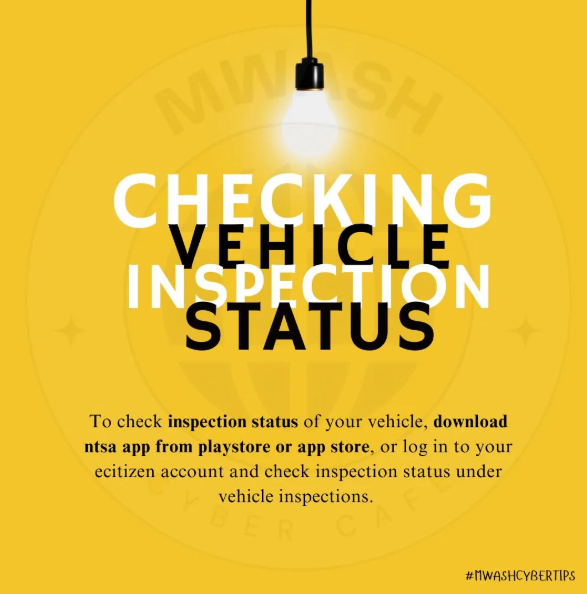
Checking the inspection status of your vehicle in Kenya is fast and convenient through digital platforms. NTSA allows vehicle owners to verify inspection details through the eCitizen portal or the official NTSA mobile app.

Using these tools, you can easily check whether a vehicle has been inspected, view its inspection status, and confirm the expiry date of the current inspection certificate. This is especially useful when planning to book a new inspection appointment in advance.

How to Check Vehicle Inspection Status

Method 1: Using Your Mobile Phone
Benefits: Anyone with the vehicle registration number and an eCitizen account can check inspection status.

If you don’t have an eCitizen account, create one at accounts.ecitizen.go.ke.

Steps:
1. Open your phone’s Play Store or App Store and search for the NTSA app.
2. Download and install the NTSA app, then open it.
3. Log in using your ID number and the OTP sent to you.
4. On the services page, select “Verify Inspection” and follow the instructions.
5. Your vehicle inspection status will be displayed.

Note: If the inspection has expired, log in to your eCitizen account using the eCitizen app or the NTSA service portal, then book the earliest available date for inspection.
Method 2: Using eCitizen App or NTSA Service Portal
Benefits: Faster booking for your vehicle inspection.

Steps:
1. Log in to your vehicle owner eCitizen account using your ID number, password, and OTP.
2. Navigate to the NTSA platform and select the “Inspections” tab.
3. You will see a list of your vehicles and their inspection statuses.
4. Review the details, check the vehicles in question, and note their inspection expiry dates.
Method 3: Via Our WhatsApp Inspection Service

Need a quick and stress-free way to check your vehicle’s NTSA inspection status? Use our WhatsApp service.

💬 Chat on WhatsApp
An image showing how to check vehicle inspection status

If expired:

Book for your vehicle inspection for safety and regulatory compliance. To book an inspection:
Log in to the NTSA portal at serviceportal.ntsa.go.ke, navigate to your vehicle services dashboard, and select “Annual Inspection” to continue with the booking.

Fees: Ksh 1000
Ecitizen Access fee: Ksh 50
Total: Ksh 1050

Once your inspection is booked, make sure you take your vehicle to the selected inspection center.

List of Inspection Centers
Directions (on google maps for every NTSA Inspection Center in Kenya
Nearest Inspection center (By County)

Ntsa inspection centers in kenya

Directons to NTSA Inspection Centers in Kenya

For vehicle owners in Kenya, regular inspections are vital for meeting road safety regulations.

The National Transport and Safety Authority (NTSA) has set up numerous centers nationwide to facilitate the inspection of vehicles.

This article provides the a list of these Centers in Kenya and also provides tools to help you locate a center nearest to your county and a tool to give you directions on google maps to help you take your vehicle for inspection.

NTSA Inspection Centers in Kenya

Below is a Table containing a list of NTSA inspection centers in Kenya

Inspection CenterCounty
Kisumu Inspection CenterKisumu County
Nakuru Inspection CenterNakuru County
Mombasa Inspection Center.Mombasa County
Likoni RD Inspection CenterNairobi County
Kakamega Inspection CenterKakamega County
Embu Inspection CenterEmbu County
Nyeri Inspection CenterNyeri County
Machakos Inspection CenterMachakos
Nyahururu Inspection CenterLaikipia County
Meru Inspection CenterMeru County
Thika Inspection CenterKiambu County
Voi Inspection CenterTaita Taveta County
Kisii Inspection CenterKisii County
Eldoret Inspection CenterUasin Gishu County
Kitale Inspection CenterTrans- Nzoia County

Importance of Vehicle Inspection

Regular vehicle inspections help ensure:

  • Road Safety: Identifying and addressing mechanical issues.
  • Compliance: Adhering to NTSA regulations to avoid penalties.
  • Environmental Conservation: Ensuring vehicles meet emission standards.

Booking Your Vehicle Inspection

Wherever you are, be it Nairobi, Mombasa, or Kisumu, an NTSA inspection center is conveniently located nearby to verify your vehicle’s roadworthiness and compliance. Regular inspections help you adhere to legal requirements while boosting your safety and that of other road users.

Vehicle-transfer-charges

NTSA Vehicle Transfer Charges Calculator

Table of Contents

When purchasing a secondhand motor vehicle in Kenya, it is important to understand the associated transfer fees and additional costs involved. The National Transport and Safety Authority (NTSA) requires buyers to pay both a vehicle transfer fee and a one-off eSticker fee, which is a digital sticker for vehicle identification and compliance.

Below is a table detailing the transfer charges based on the vehicle’s engine rating capacity, along with the eSticker fee.

Vehicle Transfer Charges

🚗 NTSA vehicle transfer fees

2024 rates
⚡ Transfer + eSticker — official charges (Ksh)
🔍 Select rating
transfer only
2,210/=
+750 = 2,960/=
Vehicle Rating Capacity Transfer Fee (Ksh) eSticker Fee (Ksh)
1000cc & below2,210/=750/=
1001-1200cc2,440/=750/=
1201-1500cc2,615/=750/=
1501-1700cc2,960/=750/=
1701-2000cc3,245/=750/=
2001-2500cc4,395/=750/=
2501-3000cc5,505/=750/=
3001cc and above6,465/=750/=
A trailer less than four wheels1,580/=750/=
A trailer with four wheels or more2,240/=750/=
Tractor1,580/=750/=
📅 Vehicle Transfer Price List 2024 – inclusive of eSticker fee (Ksh 750 flat)
⚙️ eSticker fee Ksh 750 applies to all categories. Click button to refresh total.

Recent Posts

Visit our Digital Shop